
To get into a Google Drive file you can’t open, click Request access on the “You need access” page and send it. The owner then gets an email and decides whether to let you in, and with which role.
In this tutorial, I’ll walk through Google Drive request access from both sides: sending a request, asking for edit access when you can only view, and approving a request when you own the file.
How an access request works
A file set to Restricted only opens for people the owner added. Anyone else who clicks the link lands on a “You need access” page instead of the file. If you’d rather skip requests entirely, you can turn on link sharing so the link itself grants a role.
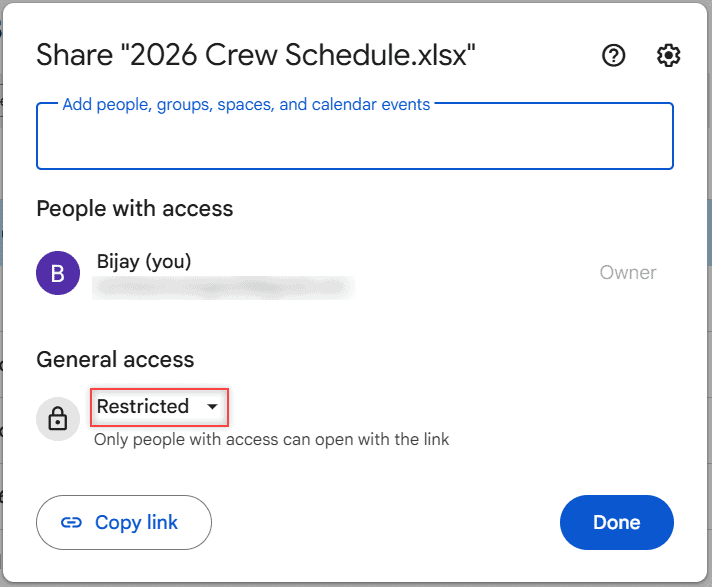
Here’s the Share dialog for a crew schedule in my Bluebird Landscaping folder. General access is Restricted, so only I can open it right now.
If you’re the one locked out, the request takes a few seconds:
- Open the link and sign in with your Google Account.
- On the “You need access” page, click Request access.
- Add a short note explaining who you are and why you need it. It’s optional, but owners approve strangers faster when they know the reason.
- Click Send request.
Google emails the owner your name, your email address, the file name and link, and your note. You can’t pick a role in the request, so the owner chooses that.
Asking for edit access when you can only view or comment
Sometimes the file opens fine, but you can’t change anything. That means you have Viewer or Commenter access, and you can ask for more from inside the file.
If you can only view the file
- Open the file on a computer.
- Click Request edit access.
- Add a note to the owner if you want.
- Click Send request.
If you can only comment or suggest
- Open the file and click Share at the top right.
- Enter your own email address.
- Click Send request.
Either way, the owner gets an email and can upgrade you. You can only request edit access from a computer, but the phone app shows your current level as “View only” or “Comment only” under the file’s title.
Want to know what your role allows before asking? Here’s whether viewers can download Google Drive files.
Why you can’t upload files to a shared folder
Only people with Editor access to a folder can add new files to it. Viewers can open what’s inside and Commenters can comment, but neither can change the folder’s contents. Ask the owner to make you an Editor, and uploading will work.
Approving a request when you own the file
You can answer straight from the request email. Pick a role from the dropdown, then click Share. Leave the notify option checked if you want the person to get an email with the decision.
You can also answer inside the file. According to Google’s official Workspace Updates blog, a pending request puts a notification dot on the Share button, and a banner at the top of the sharing dialog has a Review button. That works in Docs, Sheets, Slides, and PDFs, for personal and Workspace accounts.
If the request email got buried, you can add the person yourself. I typed Marcus’s address into Add people, and Drive set the role to Editor and checked Notify people.
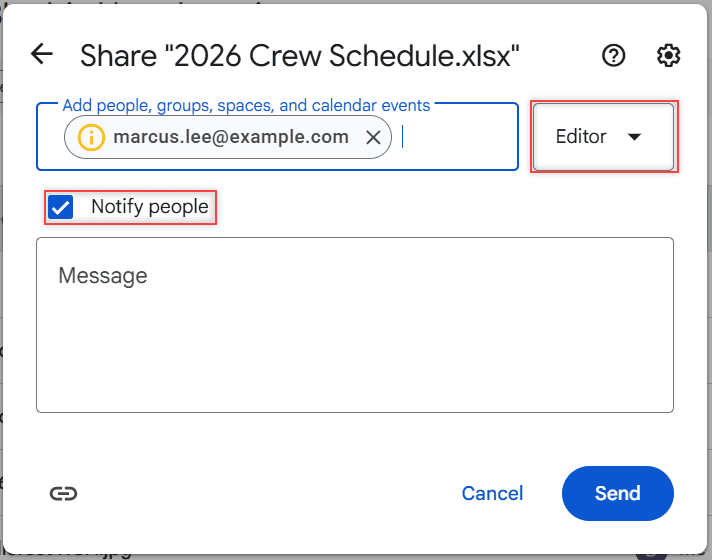
Editor is more than most people need, so I always open that dropdown before clicking Send.
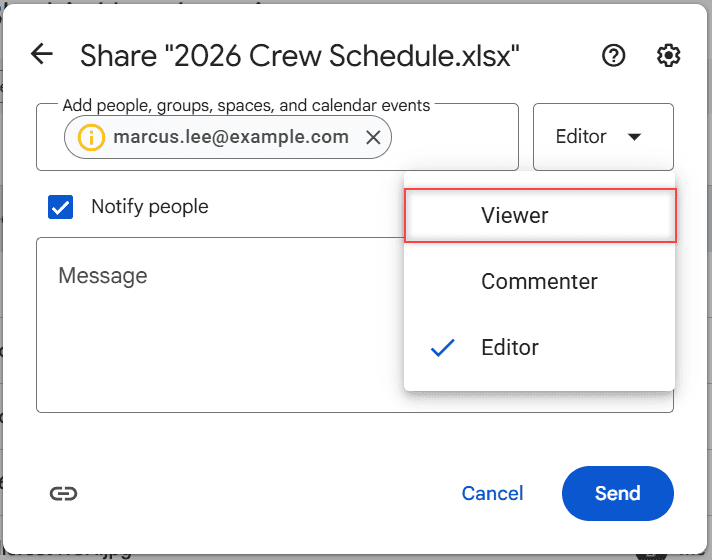
Here’s what each choice gives the person who asked:
| Role you pick | What they can do |
|---|---|
| Viewer | Open and read the file, but not comment or change it |
| Commenter | Read, add comments, and make suggestions |
| Editor | Change the content, accept suggestions, share it, and add files to a folder |
| Ignore the request | Nothing changes; they still see “You need access” |
Changed your mind later? You can unshare a folder in Google Drive or remove the person from the same dialog.
What a request can’t do
- It doesn’t open a Restricted file. Until the owner says yes, the answer is no. There’s no legitimate way around that, so don’t trust sites that promise one.
- Work policies win. A Workspace owner may not be allowed to share with people outside the organization. My personal vs. business Google Drive comparison covers why.
- Silence isn’t a denial. If nothing arrives, the request may be pending, or the owner may have answered without notifying you. Try opening the file again.
Don’t confuse access requests with approvals, a separate Drive feature on certain Workspace editions that asks reviewers to sign off on a finished file.
Owners who never see request emails should check their notification settings. Mine are under Drive Settings > Notifications, where email updates are on.
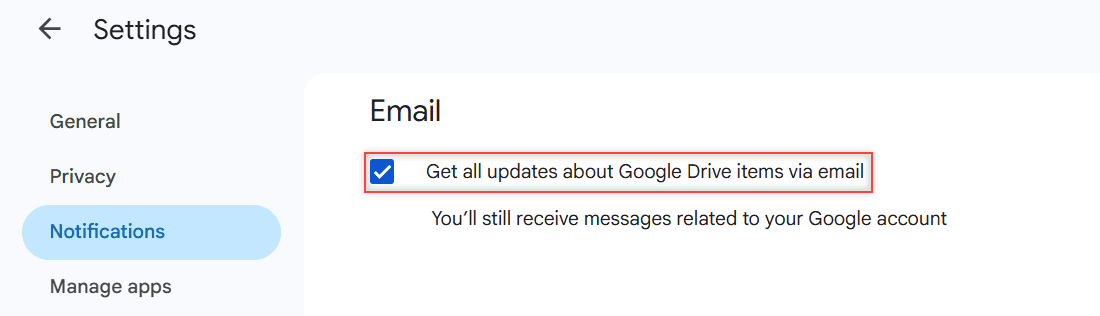
If you turned those off earlier to stop Google Drive notifications, that’s the first place I’d look.
If you’re still waiting on the owner
Make sure you’re signed in to the account the file was shared with. Opening a link with the wrong account is the most common reason people get stuck, and my guide for when you’re unable to access a document in Google Drive covers other causes.
After that, message the owner directly. A quick text or email with the file name usually beats waiting on a request that sits in someone’s inbox.
More on sharing in Google Drive
- Remove shared files from Google Drive
- Do shared folders use your storage?
- Fix “error accessing folder contents”
- All my Google Drive guides
Common questions
How do I approve a request access in Google Drive?
Open the request email, pick Viewer, Commenter, or Editor, and click Share. You can also open the file, click Share, and use Review in the banner at the top.
Why didn’t I get the access request email?
Check your spam folder and the account that owns the file. You can still see pending requests from the notification dot on the Share button inside the file.
Can I request access without a Google account?
No. To open files that aren’t public, you need to sign in to a Google Account. Google Docs Help: access to Google files explains the options.
How long does a Drive access request take?
There’s no set time, since it depends on when the owner answers. If you hear nothing, try opening the file again or contact the owner.
Can I see who requested access to my file?
Yes. The email shows the person’s name, email address, and note, and the Review banner in the Share dialog lists pending requests.

I am Carissa Gudinoa, a technology buff, and Office online and Apple expert with over 9 years of experience. I am passionate about helping others get the most out of their Apple devices. I have written extensively about Apple products and technologies. I am committed to providing my clients with the best possible service and am always up-to-date on the latest Apple products and features. I also write extensively on other software available for use at minimal cost or free. This includes Word Online, Outlook Online, Excel Online, and other Office online programs… Check out more.