Skip to content
TechnologyDots
TechnologyDots
  • Home
  • Google Drive
  • Outlook
  • Mac
  • Blogs

Carissa Gudino

I am Carissa Gudinoa, a technology buff, and Office online and Apple expert with over 9 years of experience. I am passionate about helping others get the most out of their Apple devices. I have written extensively about Apple products and technologies. I am committed to providing my clients with the best possible service and am always up-to-date on the latest Apple products and features. I also write extensively on other software available for use at minimal cost or free. This includes Word Online, Outlook Online, Excel Online, and other Office online programs... Check out more.

How to Transfer Google Drive Files to Another Account (3 Ways)
November 13, 2026 by Carissa Gudino
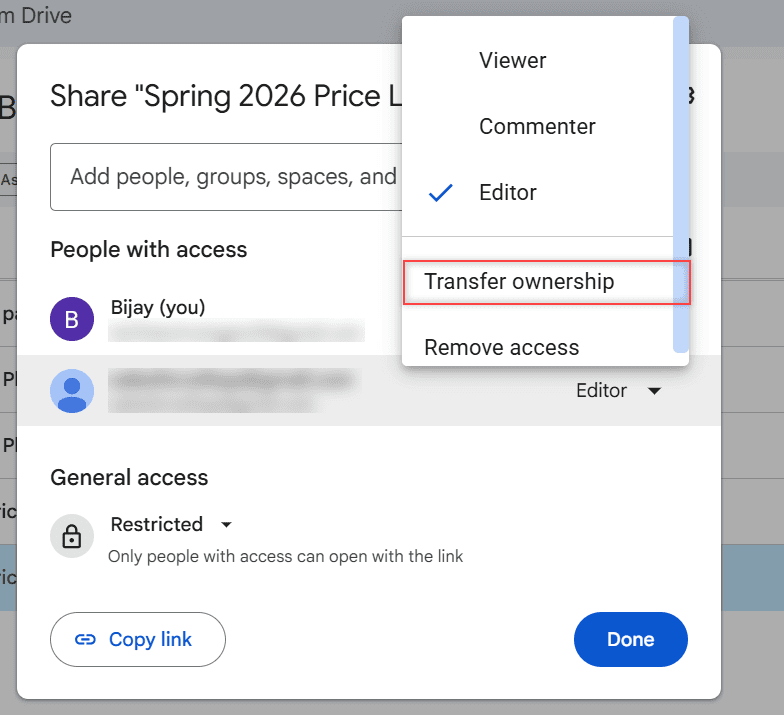
Google Drive People with access list with the role menu open and Transfer ownership highlighted

Move Google Drive files to another account: share and transfer ownership, download and re-upload, or copy everything with Google Takeout. Tested in 2026.

How to Organize Google Drive: 8 Rules I Actually Follow

November 12, 2026 by Carissa Gudino
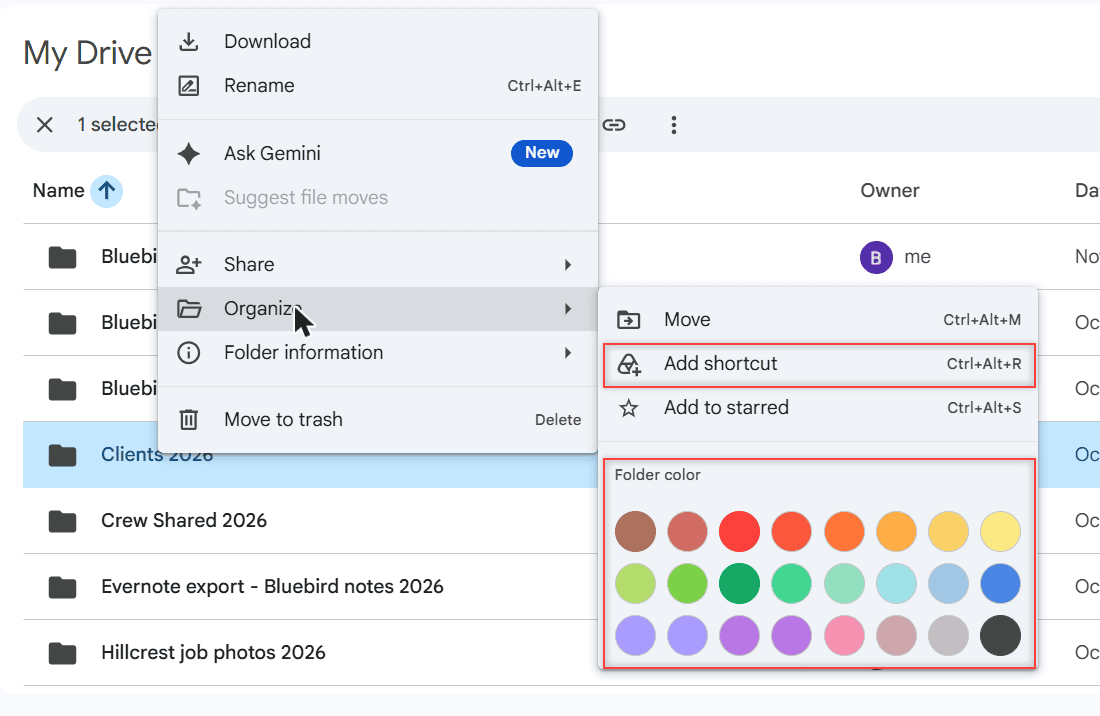
Google Drive right-click menu on the Clients 2026 folder with the Organize submenu open showing Move, Add shortcut, Add to starred and folder colors

Organize Google Drive with a simple folder plan, dated file names, shortcuts instead of copies, colors, stars, search chips and Gemini file moves.
What Is OneDrive and Do I Need It? A Plain-English Answer

November 12, 2026 by Carissa Gudino
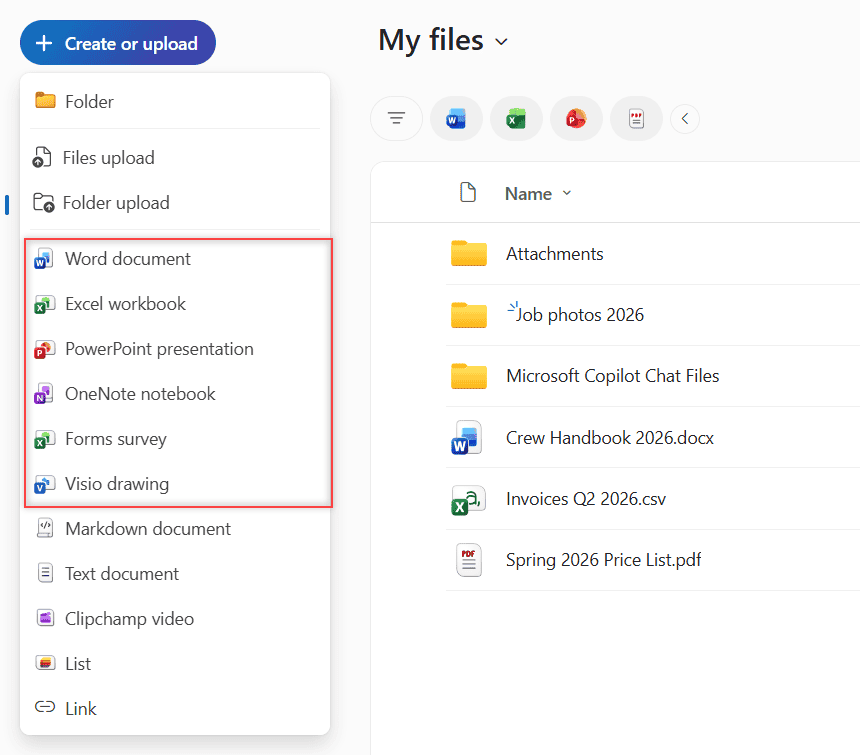
OneDrive on the web Create or upload menu with Folder, Files upload, Folder upload and new Office documents

What OneDrive is, what it does on Windows 11, who needs it, who can turn it off, and what happens to your files if you unlink or uninstall it.
How to Share a Folder in OneDrive (Web, PC and Phone)

November 11, 2026 by Carissa Gudino
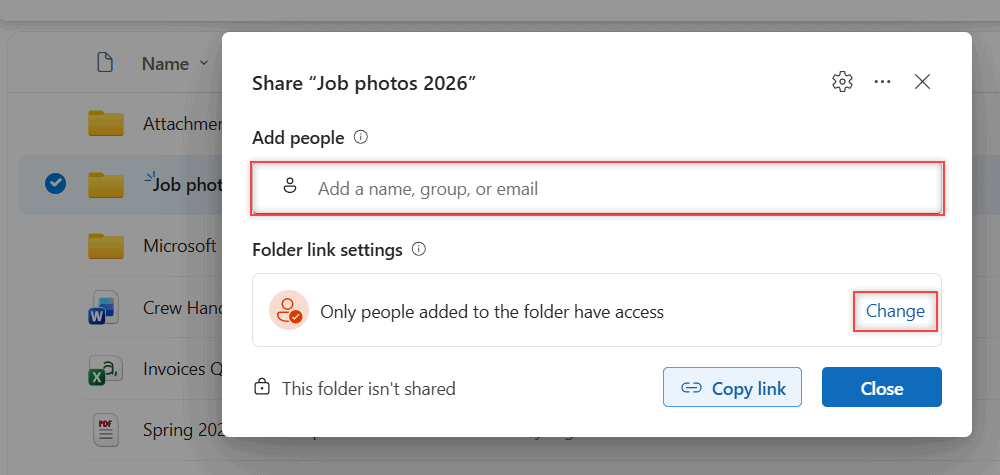
OneDrive Share Job photos 2026 dialog with the Add people field and Folder link settings

Share a folder in OneDrive by email or link, pick Can edit or Can view, see why some link options are missing and stop sharing later. Tested in 2026.
How to Delete Files From OneDrive (Web, PC and Phone)

November 11, 2026 by Carissa Gudino
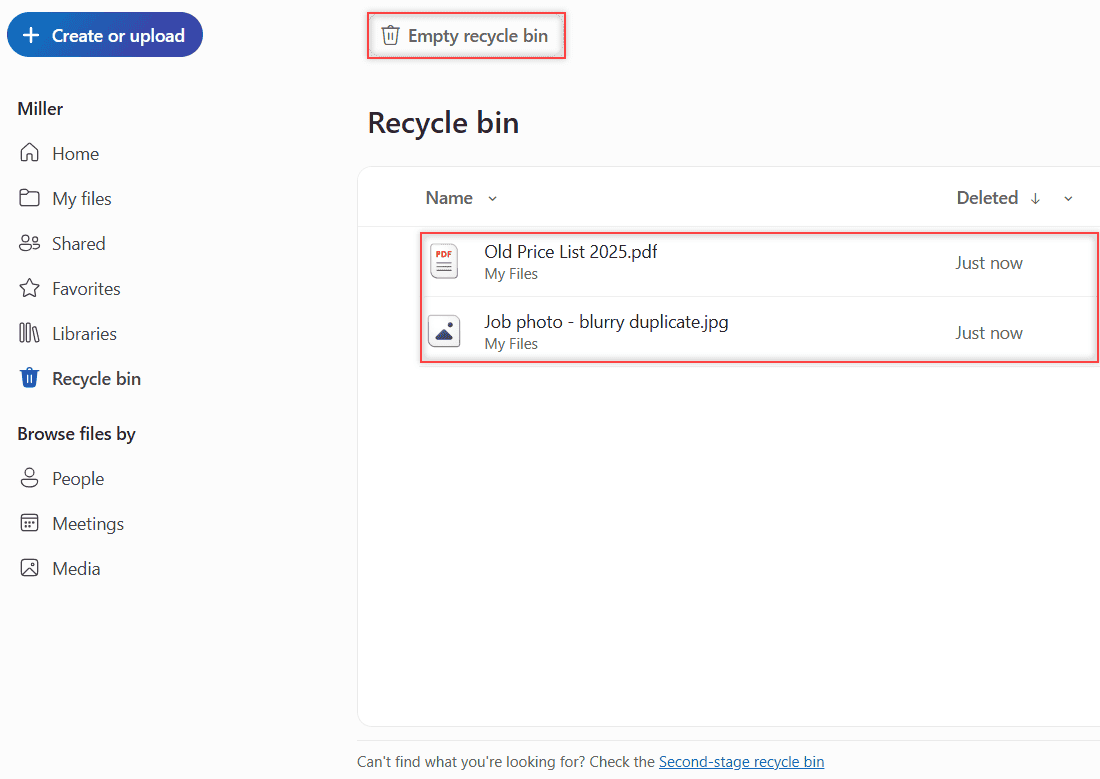
OneDrive Recycle bin listing the two deleted files with the Empty recycle bin button highlighted

Delete files from OneDrive on the web, in File Explorer or on your phone, empty the recycle bin and see what changes for work accounts. Tested in 2026.
How to Manage Google Drive Storage (Find, Clean Up and Keep It Under Control)

November 10, 2026 by Carissa Gudino
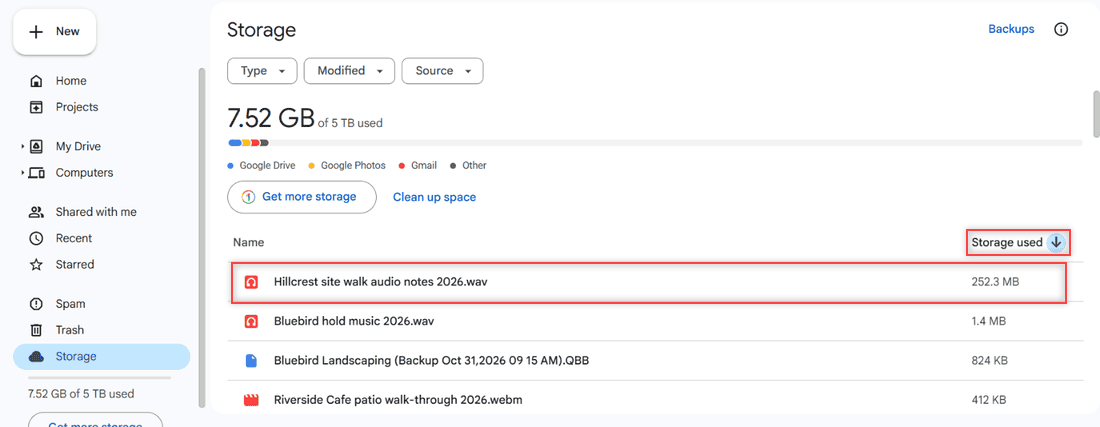
Google Drive Storage page sorted by Storage used with Hillcrest site walk audio notes 2026.wav at 252.3 MB highlighted at the top of the list

Manage Google Drive storage: see what uses your space, sort files by size, use Google One cleanup, empty Trash and learn what counts toward the limit.
How to Edit a PDF in Google Drive (and What Drive Can’t Do)

November 10, 2026 by Carissa Gudino
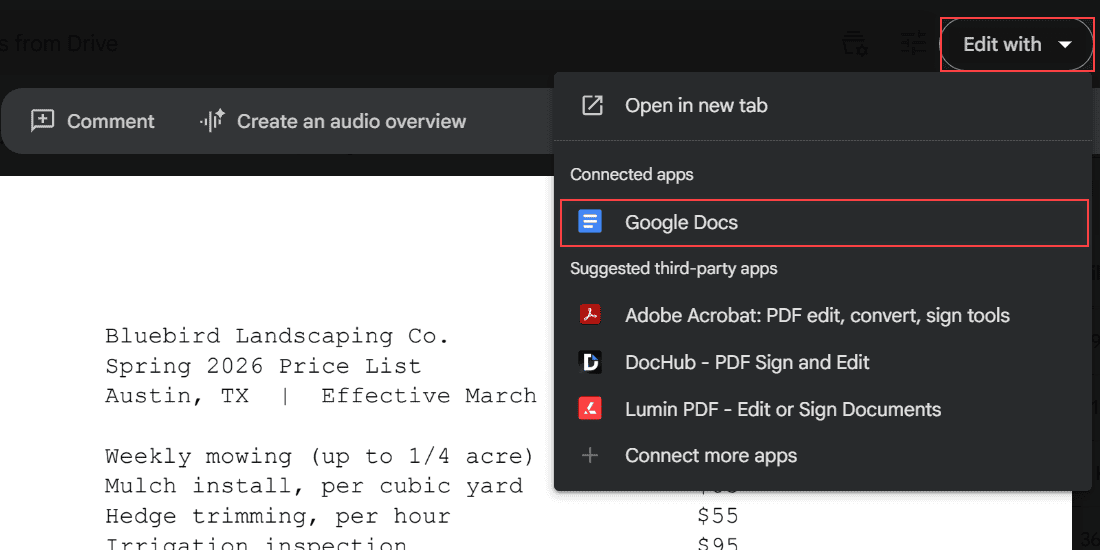
Spring 2026 Price List PDF in Google Drive preview with the Edit with dropdown open and Google Docs highlighted under Connected apps

Google Drive can’t change PDF text directly. Convert the PDF with Google Docs, fix the layout, download a new PDF, or add comments instead.
How to Add Photos to Google Drive From a Computer (Windows or Mac)

November 9, 2026 by Carissa Gudino
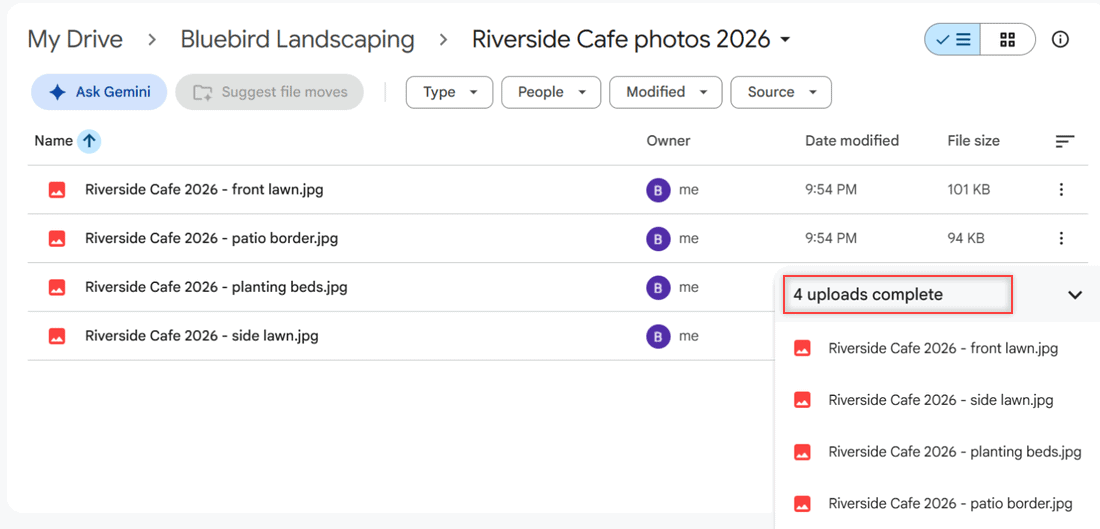
Google Drive folder with four uploaded JPG photos and the 4 uploads complete panel highlighted

Add photos to Google Drive from a Windows PC or Mac: upload single pictures, a whole photo folder or drag and drop, then check thumbnails. Tested in 2026.
SharePoint vs OneDrive: Which One Should Hold Your Work Files?

November 9, 2026 by Carissa Gudino
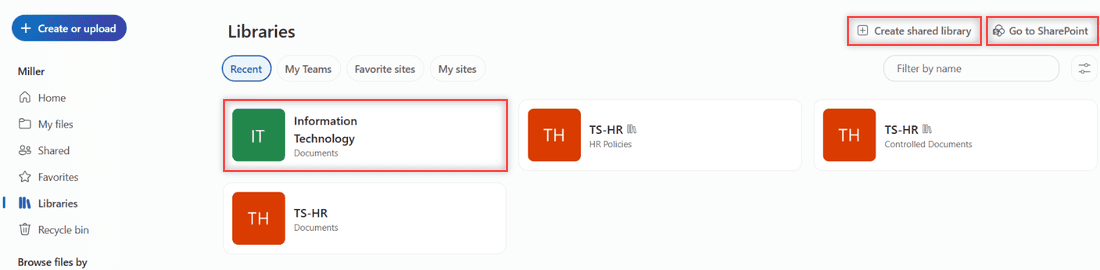
OneDrive Libraries page listing SharePoint document libraries with Create shared library and Go to SharePoint buttons

SharePoint vs OneDrive explained: private work files vs team libraries, sharing, Teams files, storage limits, sync, and what happens when someone leaves.
How to Back Up Photos to OneDrive (Web, Phone and PC)

November 8, 2026 by Carissa Gudino
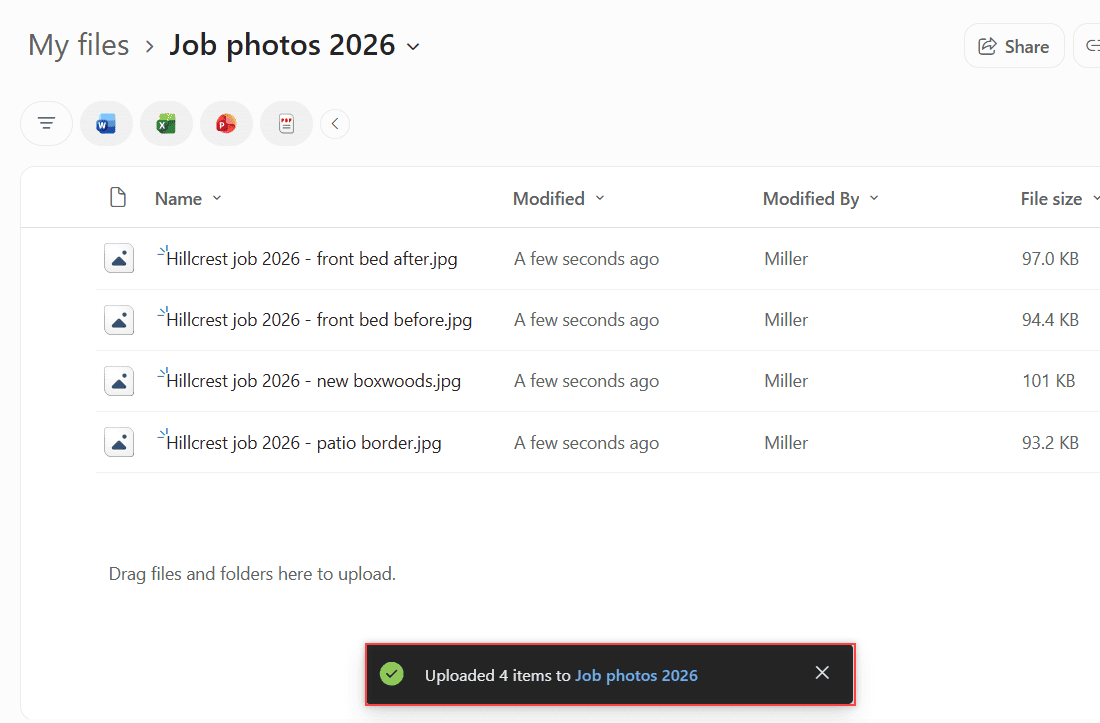
Four Hillcrest job 2026 photos uploaded to the Job photos 2026 folder in OneDrive with the Uploaded 4 items toast highlighted

Back up photos to OneDrive: upload them on the web, turn on camera upload on Android or iPhone, and back up your PC Pictures folder. Storage tips too.

Older posts
Page1 Page2 … Page16 Next →

Recent Posts

  • How to Transfer Google Drive Files to Another Account (3 Ways)
  • How to Organize Google Drive: 8 Rules I Actually Follow
  • What Is OneDrive and Do I Need It? A Plain-English Answer
  • How to Share a Folder in OneDrive (Web, PC and Phone)
  • How to Delete Files From OneDrive (Web, PC and Phone)
  • About TechnologyDots.com
  • Contact
  • Privacy Policy
  • Sitemap
© 2026 Technology Dots