
Right-click the file in Google Drive and choose Move to trash, or select it and press Delete. To get rid of it for good, open Trash on the left, click the file’s three dots and pick Delete forever.
In this tutorial, I’ll show you how to delete files from Google Drive on a computer and a phone, how to clear several at once, and what happens to storage and shared copies.
Delete a file on a computer
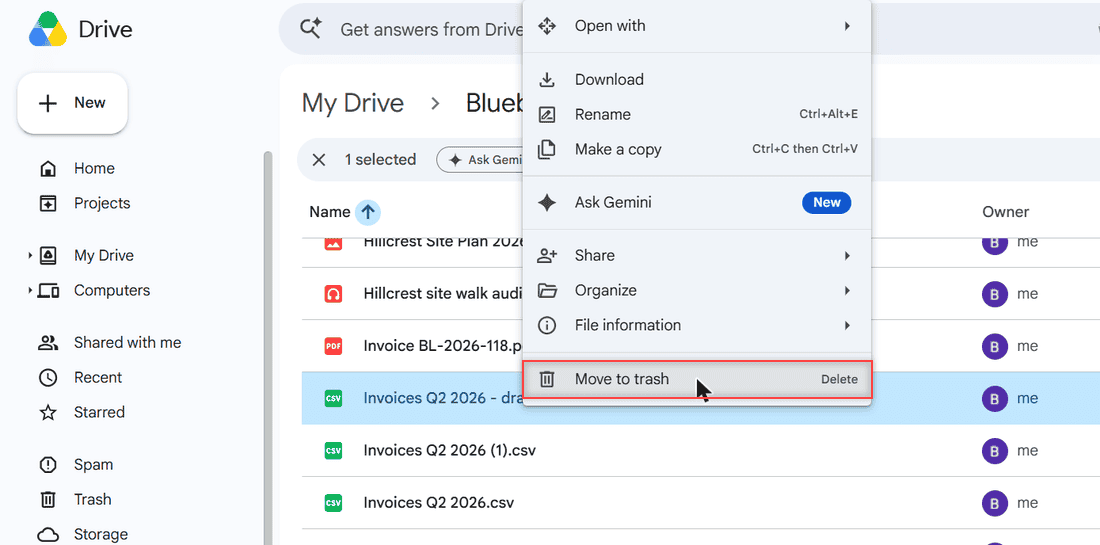
I cleaned up an old draft export, Invoices Q2 2026 – draft.csv, from my Bluebird Landscaping folder on November 3, 2026. Here’s the path I used in Chrome.
- Open drive.google.com and go to the folder with the file.
- Right-click the file.
- Click Move to trash. The keyboard shortcut is the Delete key.
The file disappears from the list right away, and a small black box shows up in the bottom-left corner.
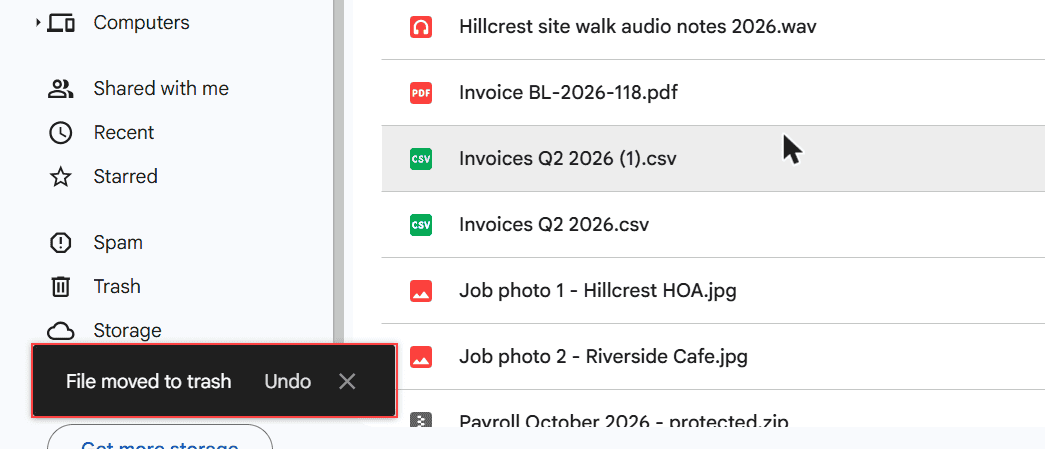
Clicked the wrong file? Hit Undo while that box is still showing. If it’s gone, the file waits in Trash, and my guide on how long Google Drive keeps deleted files covers getting it back.
Free up space: delete forever from Trash
Moving a file to Trash doesn’t free any space yet. Trashed files still count toward your storage until they’re permanently deleted.
Click Trash in the left menu. The banner at the top says items there are deleted forever after 30 days, so Drive cleans up on its own if you wait.
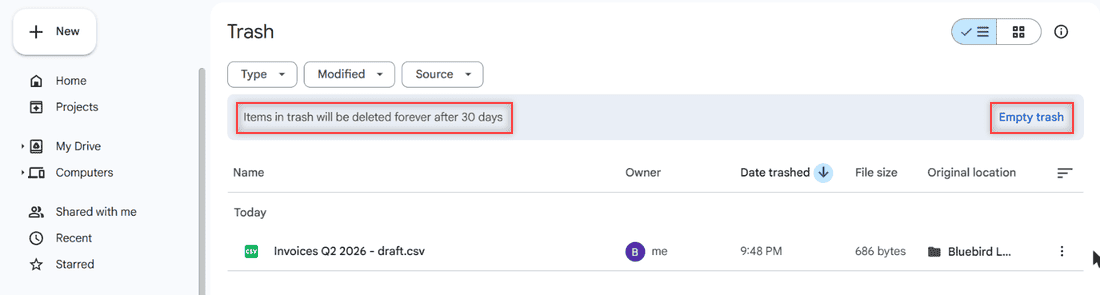
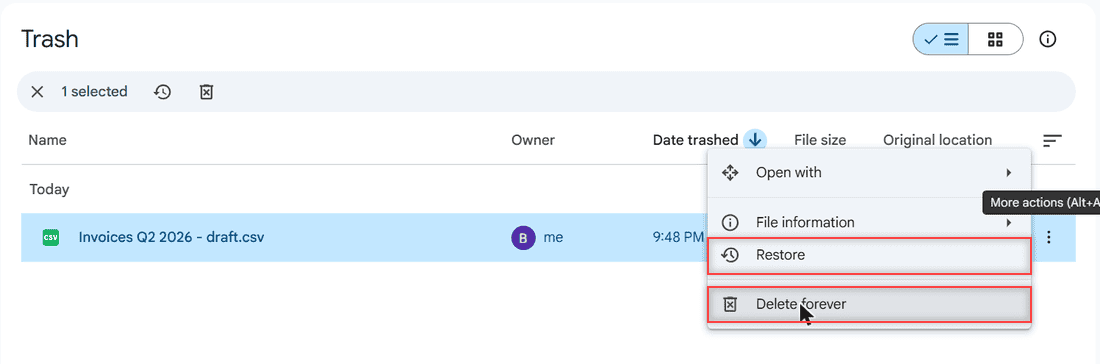
To delete one file now, click its three dots. You’ll see Restore and Delete forever.
Drive then asks you to confirm and warns that it can’t be undone.
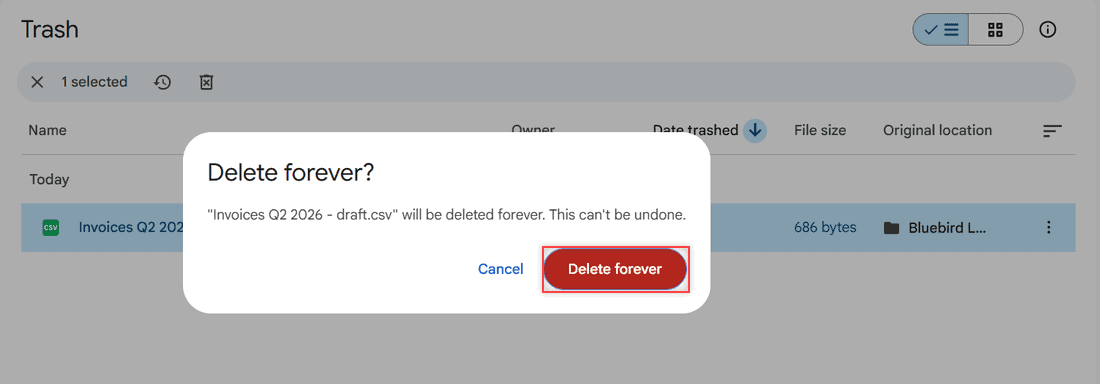
I stopped at this dialog and clicked Cancel, then Restore, because I wanted my test file back. To wipe everything at once, use Empty trash; my steps to empty trash in Google Drive walk through it.
Delete files on Android or iPhone
In the Google Drive app, tap the three dots next to the file and tap Move to trash. To delete it forever, tap the menu, open Trash, tap the file’s three dots and choose Delete forever.
The app and the website share one Trash, so a file you delete on your phone shows up in Trash on your computer too. If files seem to vanish on their own, check why Google Drive files go missing.
Variations: several files, shared files and synced folders
Several files at once
Hold Ctrl (Command on a Mac) and click each file, or Shift-click a range, then press Delete. My guide to selecting multiple files on Google Drive has more ways to grab them.
Files someone else owns
You can’t delete a file you don’t own. Right-click shows Remove instead, which only takes it out of your Drive. The owner and everyone else keep access. Here’s more on how to remove shared files from your Drive.
Files you shared with others
People you shared with keep access while your file sits in Trash. Once you delete it forever, they lose access too.
Drive for desktop
If you mirror or stream files with Drive for desktop, trashing a file removes it from your computer and the web. Want to stop that link? See how to turn off Google Drive sync.
One more note: deleting photos or videos in Drive doesn’t delete them from Google Photos.
When the storage doesn’t go down
Nine times out of ten, the files are still in Trash. Empty it and give the storage meter a little time to update.
If it still looks full, the space is often in Gmail or Google Photos, not Drive. My fix for Google Drive storage full with no files goes through each spot.
Still tidying up your Drive? These help:
- how to see folder size in Google Drive
- how to sort files in Google Drive
- all my Google Drive tutorials
Quick answers
Can I recover a file after I delete it forever in Google Drive?
Usually not on a personal account. Once you pick Delete forever, the file is gone. Work or school admins may be able to restore it for a limited time.
Does deleting a file from Google Drive delete it for everyone?
Only after you delete it forever. While it sits in Trash, people you shared it with can still open it.
Why can’t I delete a file in Google Drive?
You probably don’t own it. For files someone else owns, you can only choose Remove, which takes it out of your Drive.
How long do deleted files stay in Google Drive Trash?
Files in Trash are deleted forever after 30 days. Google lists the rest of the rules in Google Drive Help: delete and restore files.

I am Carissa Gudinoa, a technology buff, and Office online and Apple expert with over 9 years of experience. I am passionate about helping others get the most out of their Apple devices. I have written extensively about Apple products and technologies. I am committed to providing my clients with the best possible service and am always up-to-date on the latest Apple products and features. I also write extensively on other software available for use at minimal cost or free. This includes Word Online, Outlook Online, Excel Online, and other Office online programs… Check out more.