
It usually does empty, but a trash that looks stuck can be a storage number that hasn’t caught up, a file you don’t own, or a shared drive with its own separate trash.
In this tutorial, I’ll sort out google drive trash not emptying by matching what you’re seeing to its likely cause. You’ll also get Google’s actual timing and the fixes worth trying. One caveat: I couldn’t make my own trash get stuck, so those fixes are untested.
Start with what you actually see
Trash problems come in a few different shapes, and each one points somewhere else. If you’ve never cleared it before, start with the steps for emptying your trash, then come back here if something looks off.
| What you see | Likely cause | What to do |
|---|---|---|
| Trash is empty, but storage is still high | The number hasn’t updated, or the space is in Gmail or Photos | Wait, then check the Storage page |
| Empty trash does nothing or spins | Possibly a browser problem (my inference) | Try another browser, or clear cache |
| Items came back or never left | Sync, or a different account | Check the signed-in account and sync |
| A file won’t delete for good | You may not be the owner | Check the Owner column; ask the owner |
| A team file is still in Trash | Shared drives have their own Trash | Ask a Manager of that shared drive |
Google doesn’t publish a list of reasons Empty trash might fail, so the middle column is my best reading of its help pages.
Confirm the trash really is empty
Open Trash from the left menu and look at the list itself. My demo trash showed the 30-day banner, an Empty trash link, and columns for Owner, Date trashed, File size, and Original location.
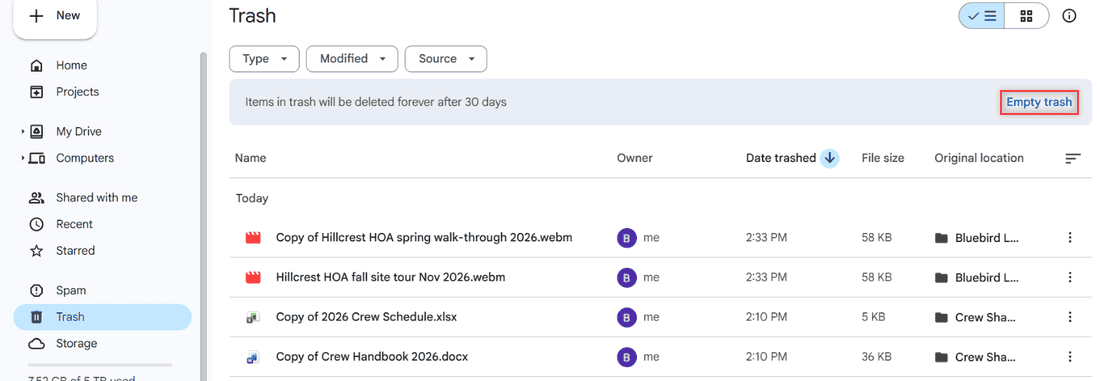
Select Empty trash and Drive asks you to confirm. Nothing happens until you choose Delete forever, so a trash that “didn’t empty” sometimes just never got that second click.
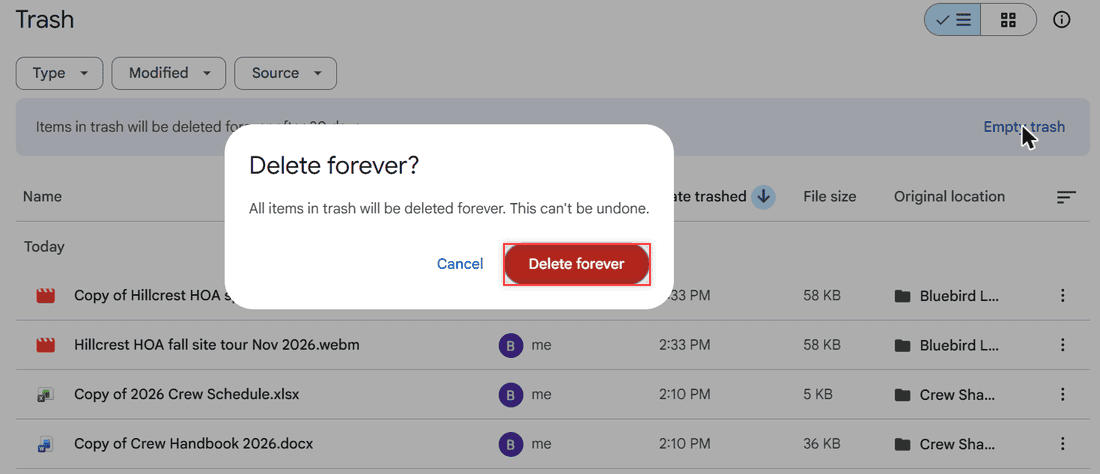
I cancelled that dialog on this run, so I didn’t watch it finish today. In an earlier test, a small trash emptied right away.
Fixes to try if Empty trash does nothing
Try these in order, cheapest first. They’re sensible general steps, and I can’t promise any of them, since I never saw the failure myself.
- Reload Drive, then try again in a different browser or a private window.
- Turn off browser extensions, or clear the cache for Drive. Google says clearing cache and cookies can fix site loading problems, though you may be signed out of sites.
- Delete a few files at a time instead of everything at once.
For that last one, select a file in Trash, open its three-dot menu, and choose Delete forever. Restore is right beside it, so go slowly.
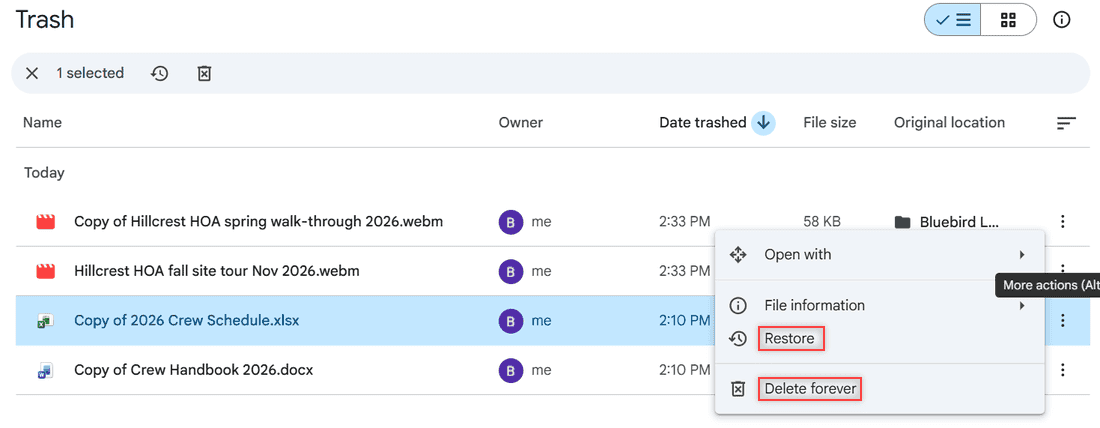
If you’d rather let Drive handle it, Google removes trashed files after 30 days on its own. Here’s more on how long Drive keeps deleted files.
When the space doesn’t come back right away
Here, Google gives real numbers. Your available space updates after a short period, and if you’re still full after 30 minutes, Google points you to deeper cleanup.
After deleting many files at once, it says to allow up to 48 to 72 hours. You’ll see “wait 24 hours” on other blogs, but I didn’t find that figure on the Google pages I read.
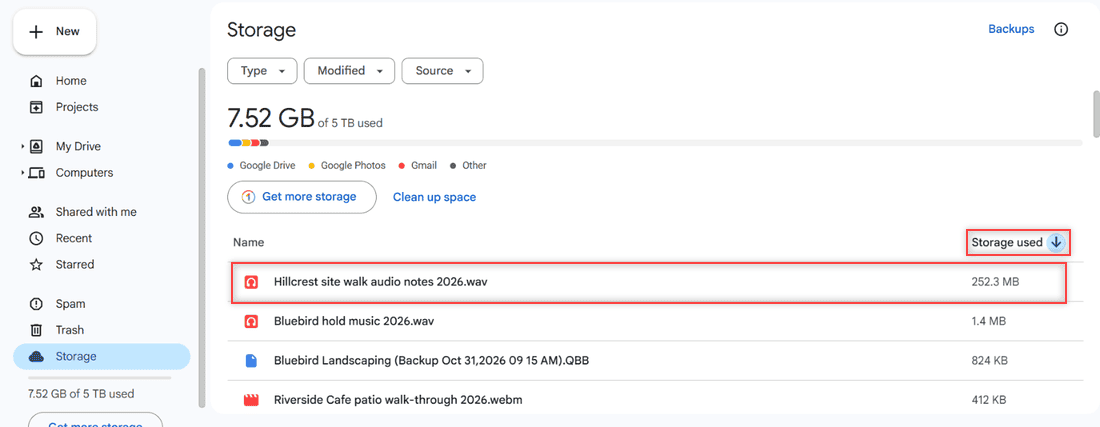
Also remember that Drive, Gmail, and Google Photos share one pool. The Storage page, sorted by Storage used, shows your biggest Drive files, and storage that looks full with no files has its own causes.
Limits on what you can clear
Ownership decides most of this. Google says you can’t delete a file you don’t own; you can only remove it from your Drive, and others keep access. If you own it, deleting the file ends sharing once it’s permanently gone.
Only files you own count toward your storage, so clearing someone else’s file won’t free any space.
Shared drives work differently. Each one has its own Trash, and only Managers can permanently delete before 30 days, which is why shared folder space can confuse people.
If you use Drive for desktop, Google says files you trash are trashed everywhere. If your account comes from work or school, ask your admin, since the storage page I read covers personal accounts.
A few other Drive guides that may help here:
Common questions
Why is my Google Drive still full after emptying the trash?
The number can lag. Google’s storage help page says space updates after a short period, and up to 48 to 72 hours after deleting many files. Gmail and Photos also use the same storage.
Does Google Drive empty the trash automatically?
Yes. Google says files in Trash are deleted forever after 30 days, so you don’t have to clear them yourself unless you want the space sooner.
Do files in the trash count toward my storage?
Yes, they count until they’re permanently deleted. Files you don’t own don’t count toward your storage.
Can I get files back after emptying the trash?
Treat it as permanent. Drive’s own dialog says this can’t be undone, so check the list before you confirm.

I am Carissa Gudinoa, a technology buff, and Office online and Apple expert with over 9 years of experience. I am passionate about helping others get the most out of their Apple devices. I have written extensively about Apple products and technologies. I am committed to providing my clients with the best possible service and am always up-to-date on the latest Apple products and features. I also write extensively on other software available for use at minimal cost or free. This includes Word Online, Outlook Online, Excel Online, and other Office online programs… Check out more.