
You open a file someone shared with you in Google Drive, click Print, and get this instead:
Printing is disabled for this fileNine times out of ten, the file’s owner turned off printing for viewers and commenters. The fix that works most often is simple: ask the owner to allow it.
In this tutorial, I’ll show you why printing is disabled for this file google drive errors happen, how the owner turns printing back on, and what you can do on a work or school account.
Fix 1: Ask the owner to allow printing for viewers
This applies when you have view or comment access and the Download option is missing too. Google lets an owner block downloading, copying, and printing for those roles, and only they can undo it on a personal account.
Send the owner a short note with the file name and why you need a paper copy. Last spring, a board member at Hillcrest HOA asked me exactly that about my Bluebird Landscaping price list.
Here’s what the owner does on a computer. I couldn’t capture the viewer’s error screen, so these shots are from my owner account.
- In Google Drive, select the file and click Share.
- At the top right, click the Settings gear.
- Under People who can download, copy, print, and access via Gemini, check Commenters and viewers.
- Go back and click Done.
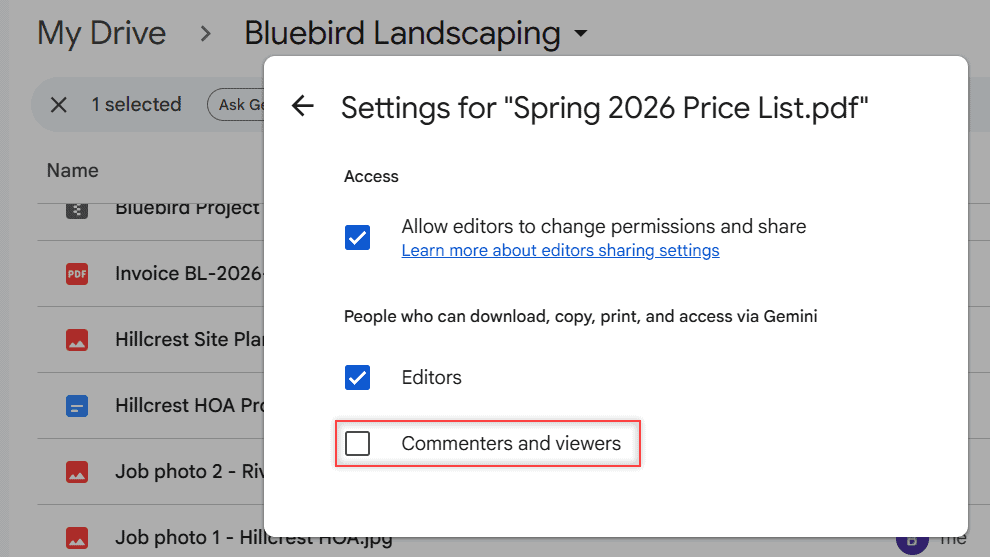
Any role left unchecked still can’t download, copy, or print. I explain each role’s rights in whether viewers can download Drive files.
Fix 2: Ask for edit access or a printable copy
If the owner wants to keep printing off for everyone else, there are two polite options. They can give you the Editor role, or they can send you a version they’re happy for you to print.
With Editors checked, as in my settings above, editors can print. Google notes they still can’t copy content out of the document. A request for access in Google Drive reaches the owner directly.
Check whether your admin blocked printing
On a Google Workspace account at work or school, an administrator can set a data loss prevention (DLP) rule that stops even the owner from allowing downloading, copying, and printing.
For Docs, Sheets, and Slides, there’s a quick way to see what’s restricted. In my demo Doc, it’s under File > Security limitations.
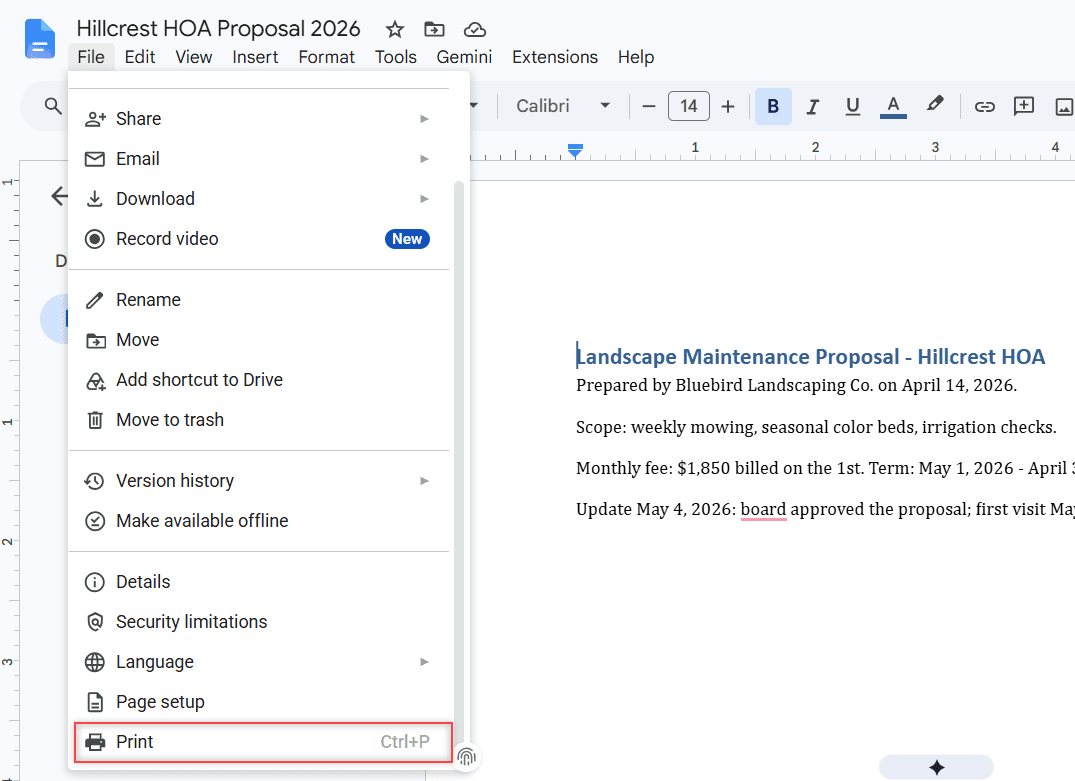
Google says this view lists restricted actions in one place, along with who set them: the owner, a shared drive manager, or an admin policy. My own file shows no limitations.
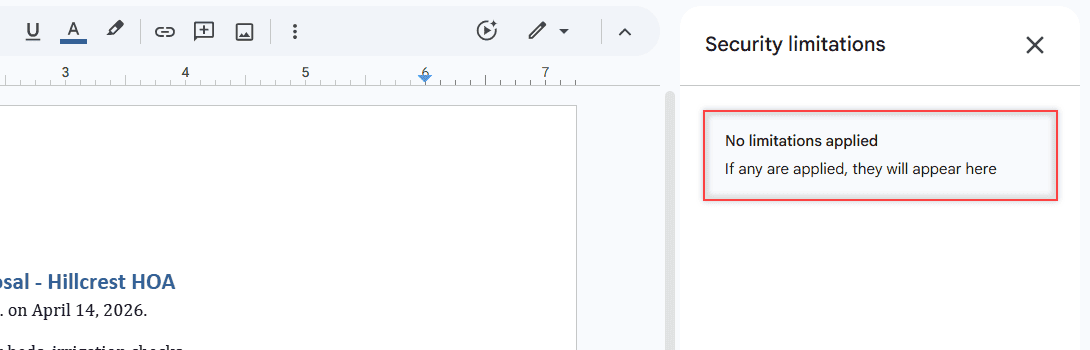
If it names an organization policy, the owner can’t change it. Contact your IT admin and ask whether a policy is blocking printing for that file.
When the PDF itself is password protected
Sometimes the limit comes from the PDF, not from Drive. If the PDF is yours and has a password, download it and open it with that password in a PDF app. If it isn’t yours, ask whoever made it for a printable version.
Need the file in your Drive first? See what to do when you cannot download files.
Still can’t print once it’s allowed?
Once printing is on, a viewer sees the same Print icon I do in the PDF preview toolbar.
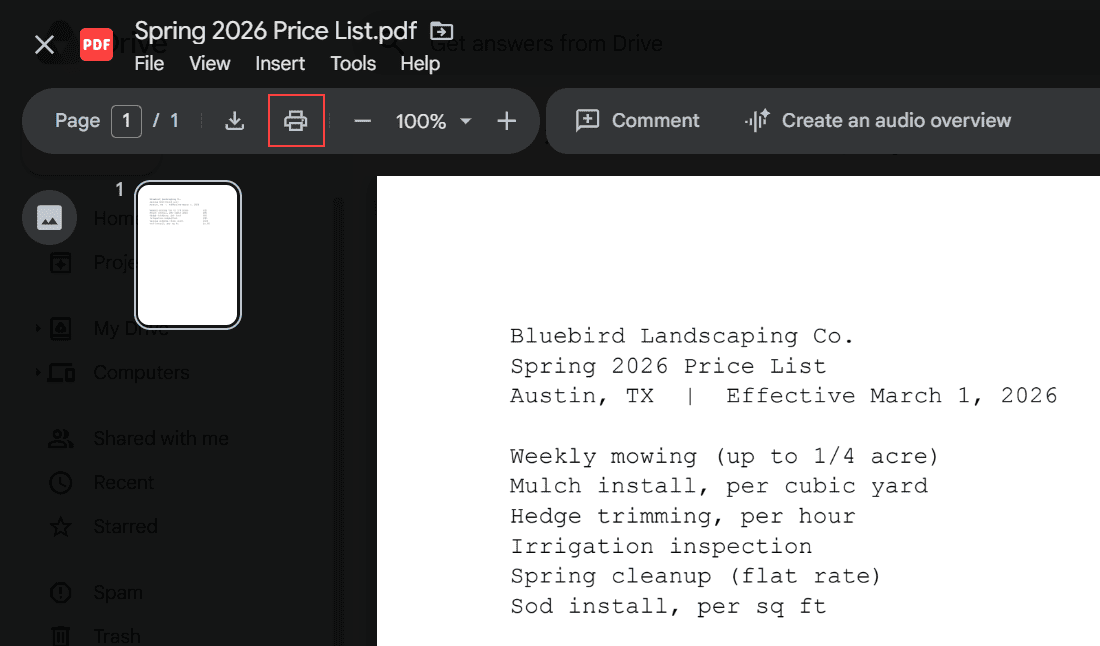
For a Google Doc, Sheet, or Slides file, use File > Print (Ctrl+P), as shown in the File menu above. Google lists browsers like Chrome or Safari for printing.
If Print opens but nothing comes out, the problem is your printer or browser. Try another browser, then check the printer connection. On a phone, my guide to print from Google Drive on iPhone helps.
Before you go, these Drive guides pair well with this one:
- disable the download option in Google Drive
- print an entire folder in Google Drive
- turn on link sharing
- embed PDFs from Google Drive
More about this error
Why can’t I print from Google Drive?
Usually the owner turned off downloading, copying, and printing for viewers and commenters. On a work or school account, an admin policy can also block it. If neither applies, check your printer and browser.
How do I print a view-only PDF from Google Drive?
Ask the owner to check Commenters and viewers in the Share settings, or to give you edit access. There’s no supported way to print it while that setting is off.
Can editors print a file when viewers can’t?
Yes, if the owner leaves Editors checked. Editors still can’t copy content out of the document, according to Google Drive Help on limiting sharing.
Does turning off printing protect the file completely?
No. Google says owners can’t stop how others share the file content in other ways, so don’t share anything you wouldn’t want passed around.

I am Carissa Gudinoa, a technology buff, and Office online and Apple expert with over 9 years of experience. I am passionate about helping others get the most out of their Apple devices. I have written extensively about Apple products and technologies. I am committed to providing my clients with the best possible service and am always up-to-date on the latest Apple products and features. I also write extensively on other software available for use at minimal cost or free. This includes Word Online, Outlook Online, Excel Online, and other Office online programs… Check out more.