How to Make an Email Confidential in Outlook (and What It Really Blocks)
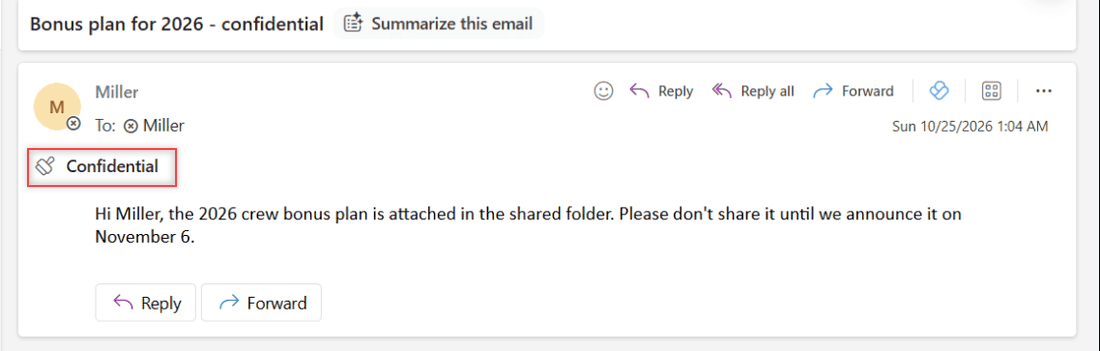
Marking an Outlook email Confidential is only a notice. Here’s how to set it, and when to use Encrypt or Do Not Forward to actually stop forwarding.

Outlook Online is Microsoft’s web-based email client, serving as a hub for email management, calendars, and contacts for users in the United States and globally. Known for its clean interface and robust features, it’s a core component of the Microsoft Office 365 suite. Outlook Online offers advanced email sorting, search functions, and integrates seamlessly with other Microsoft services like OneDrive and Teams. Ideal for both personal and professional use, Outlook Online provides a comprehensive solution for digital communication and scheduling.
Marking an Outlook email Confidential is only a notice. Here’s how to set it, and when to use Encrypt or Do Not Forward to actually stop forwarding.
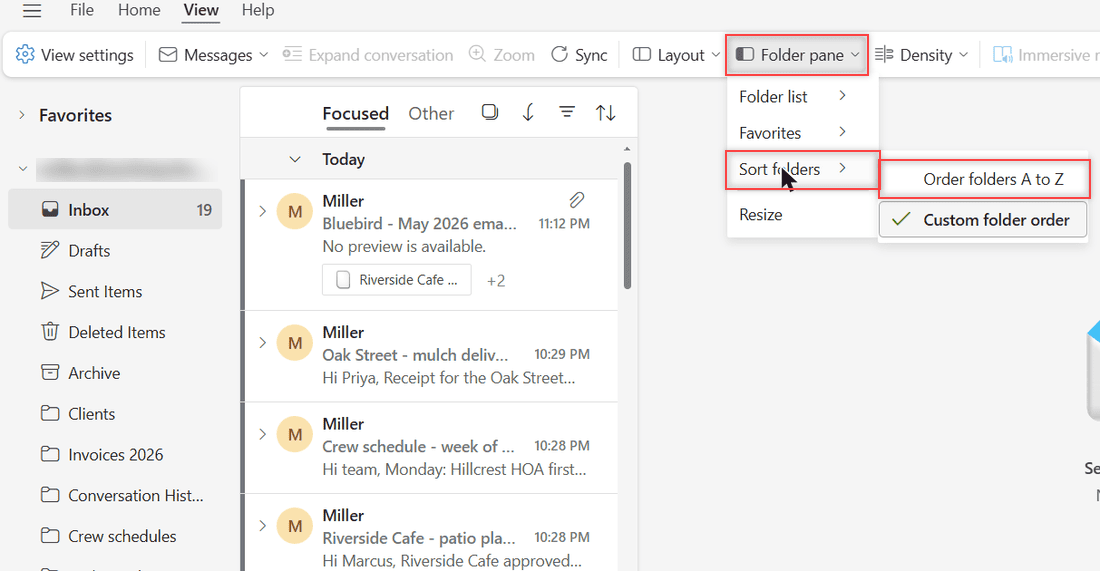
Yes, you can sort folders in Outlook on the web: View > Folder pane > Sort folders > Order folders A to Z, or use Custom folder order with Move up.
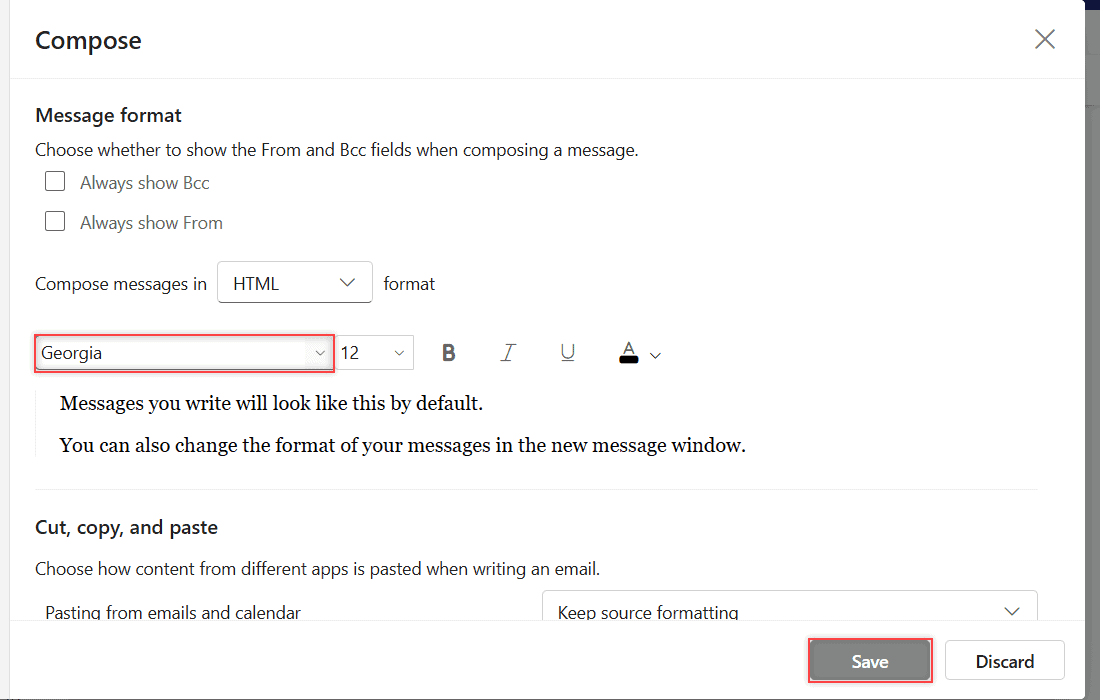
Outlook on the web can’t add your own fonts. Here’s how to pick from its 73 built-in fonts, set a default, and where custom fonts do work.
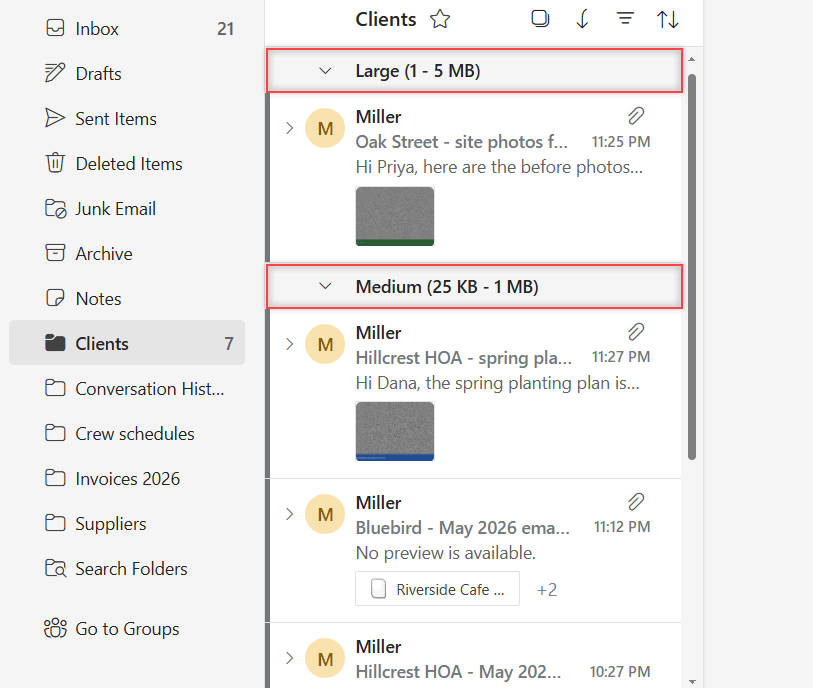
Sort emails by size in Outlook on the web, flip between largest and smallest on top, and filter to emails with files to find what eats your storage.
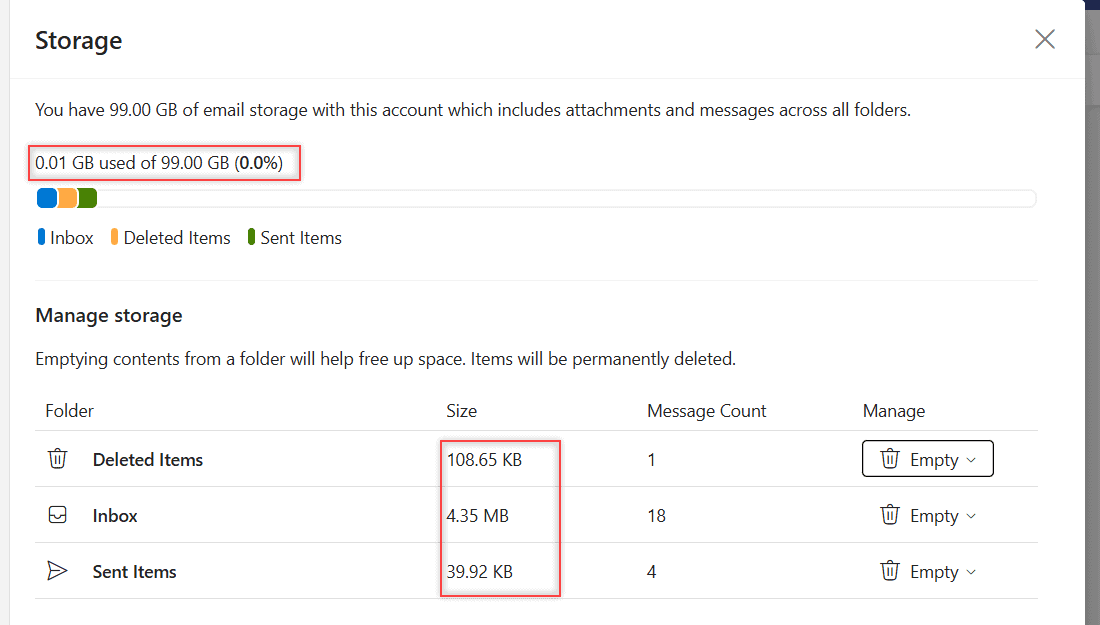
Open Settings > Account > Storage to see how much Outlook storage you use, which folders take the most space, and how to empty them safely.
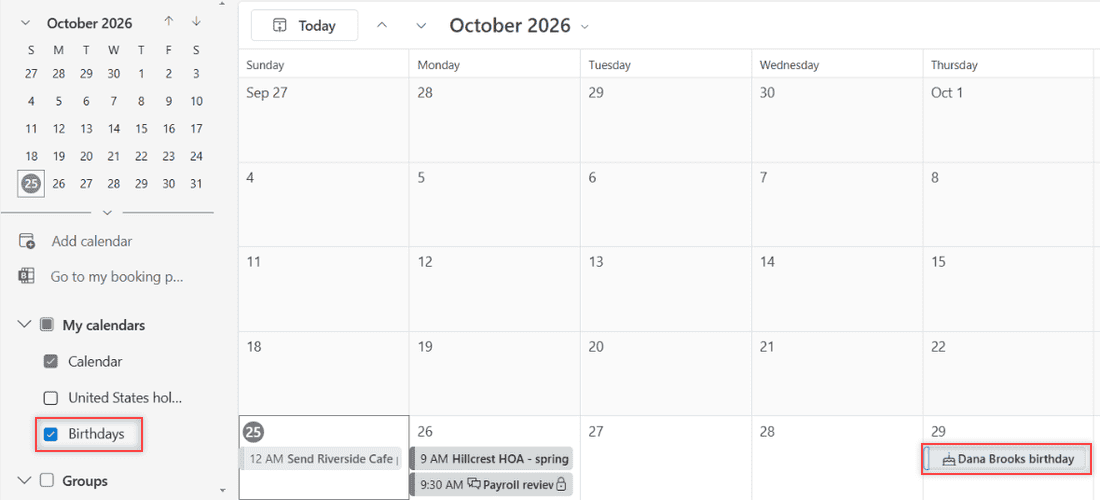
Turn on the Outlook Birthdays calendar, add a birthday from a contact or the calendar, then edit, hide or delete it in new Outlook and on the web.
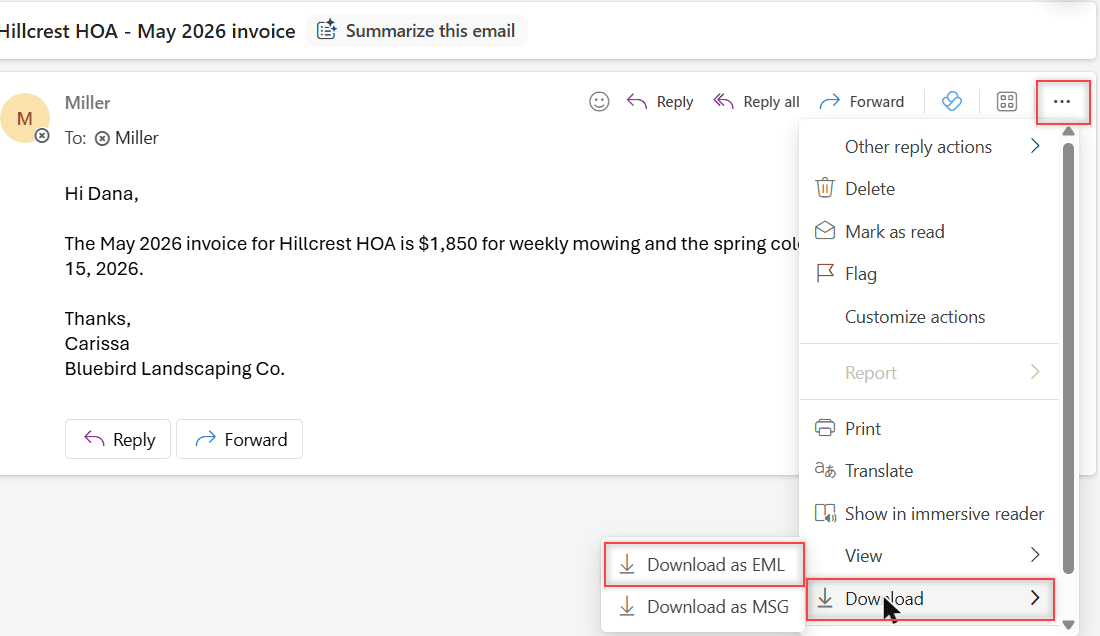
Download one Outlook email as EML or MSG, save it as a PDF, grab several at once, or export your whole mailbox to a PST file. Tested in Outlook on the web.
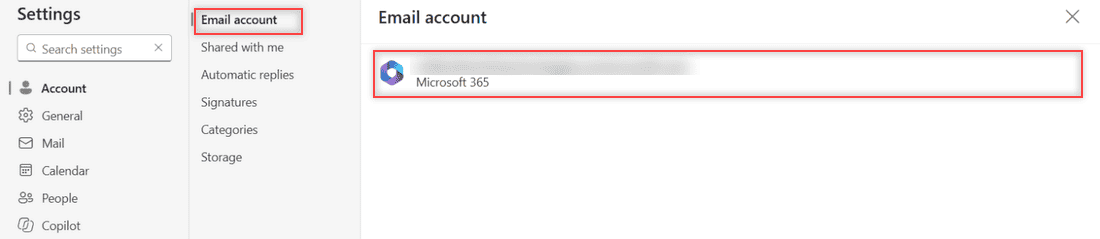
Outlook on the web has no Remove button for your own account, so you sign out. Here’s how removal works in Outlook for Windows, Mac, iPhone and Android.
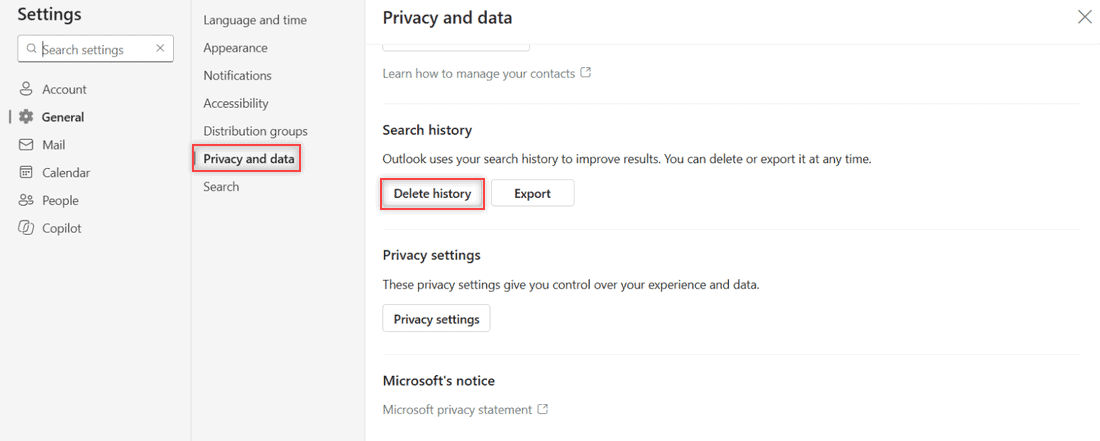
Clear Outlook search history in a few clicks: Settings > General > Privacy and data > Delete history. Why recent searches linger, and what stays.
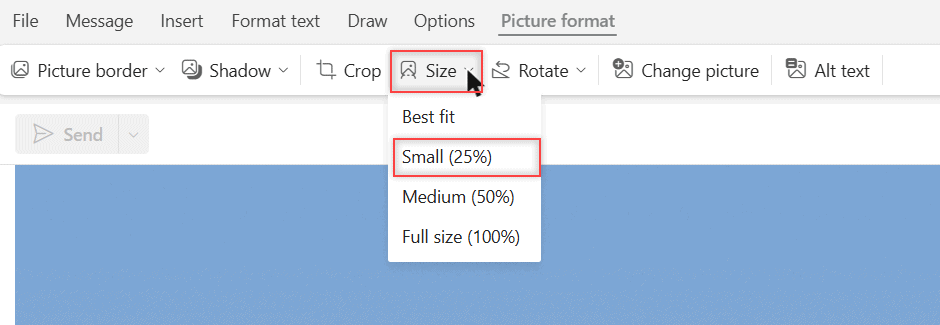
Reduce image size in Outlook: move a photo into the message body, use Picture format > Size, or resize large images in classic Outlook.