Skip to content
TechnologyDots
TechnologyDots
  • Home
  • Google Drive
  • Outlook
  • Mac
  • Blogs

Carissa Gudino

I am Carissa Gudinoa, a technology buff, and Office online and Apple expert with over 9 years of experience. I am passionate about helping others get the most out of their Apple devices. I have written extensively about Apple products and technologies. I am committed to providing my clients with the best possible service and am always up-to-date on the latest Apple products and features. I also write extensively on other software available for use at minimal cost or free. This includes Word Online, Outlook Online, Excel Online, and other Office online programs... Check out more.

How to Give Google Drive Request Access (Both Sides Explained)
October 24, 2026April 2, 2024 by Carissa Gudino
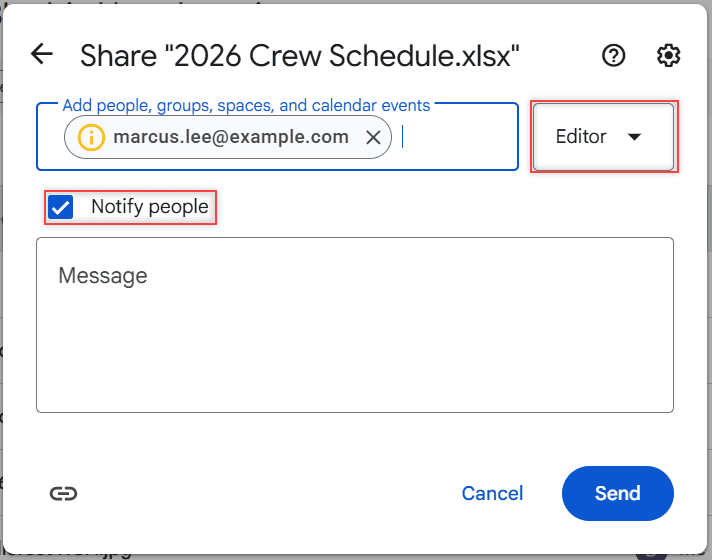
Share dialog after adding marcus.lee@example.com with the role dropdown set to Editor, Notify people checked, a Message box, and Cancel and Send buttons

How Google Drive request access works: send a request from the “You need access” page, and as the owner approve it by email or from the Share button.

How to Save a YouTube Video to Google Drive (the Allowed Ways)

November 1, 2026February 16, 2024 by Carissa Gudino
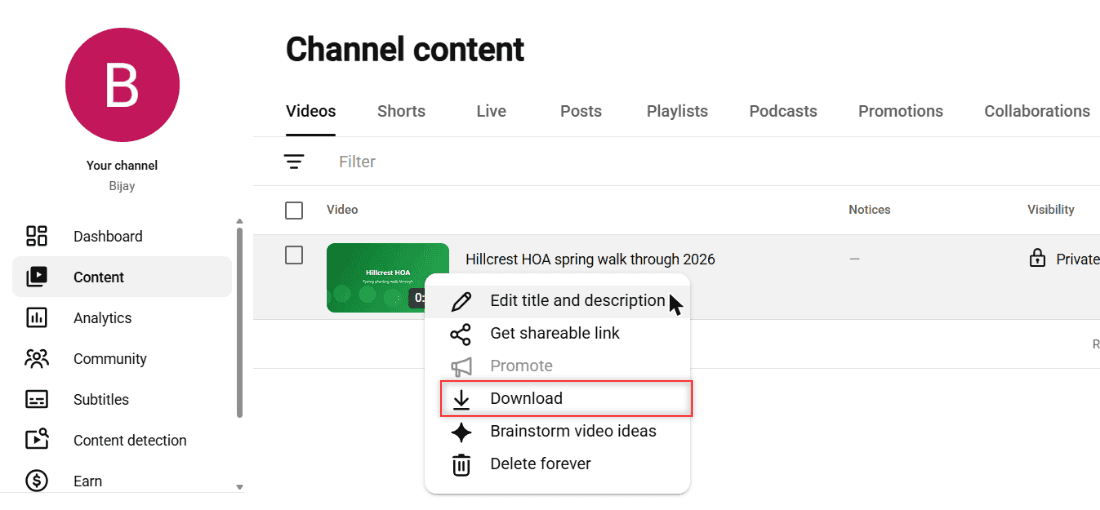
YouTube Studio Channel content list with the Options menu open on the Hillcrest HOA spring walk through 2026 video and Download highlighted

Download your own YouTube videos as MP4 from YouTube Studio, send all uploads to Drive with Google Takeout, and keep links to other videos.
How to Embed PDFs from Google Drive on Any Website (6 Rules I Follow)

October 30, 2026February 16, 2024 by Carissa Gudino
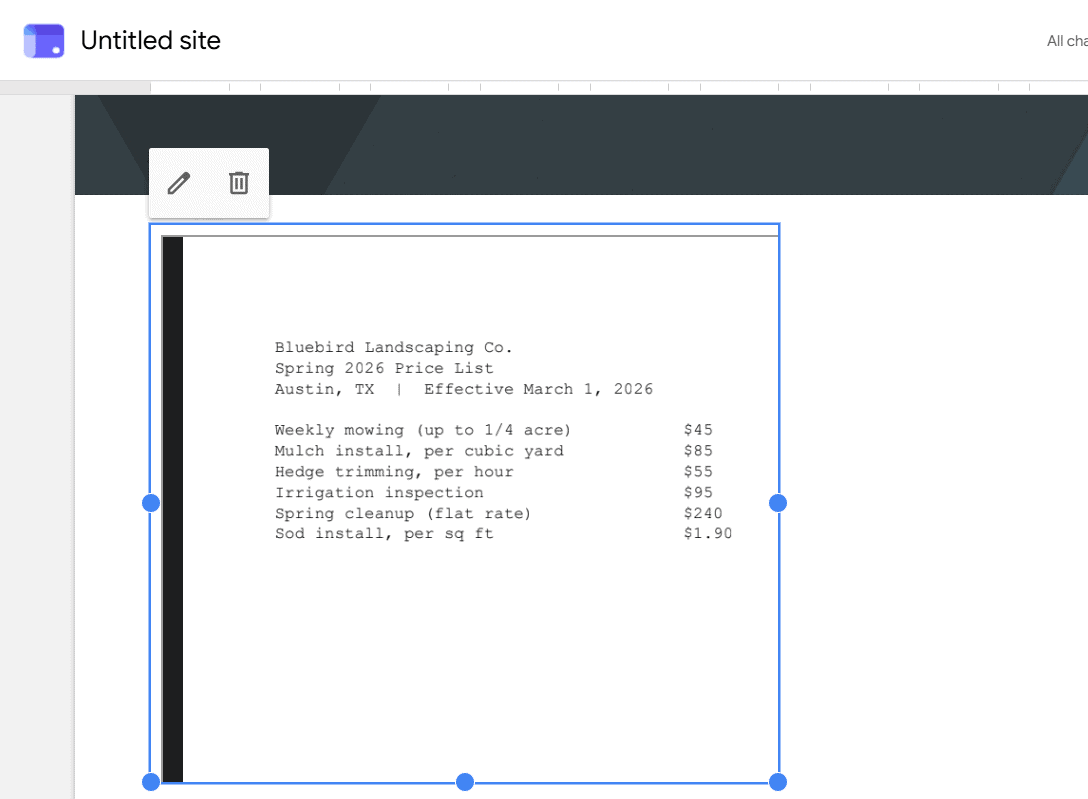
Spring 2026 Price List PDF embedded on a page in the Google Sites editor

Embed PDFs from Google Drive with the viewer’s Get embed link code, set General access so visitors can see it, and add it to Google Sites or WordPress.
How to Transfer OneDrive Files to Google Drive (3 Ways That Work)

November 1, 2026February 14, 2024 by Carissa Gudino
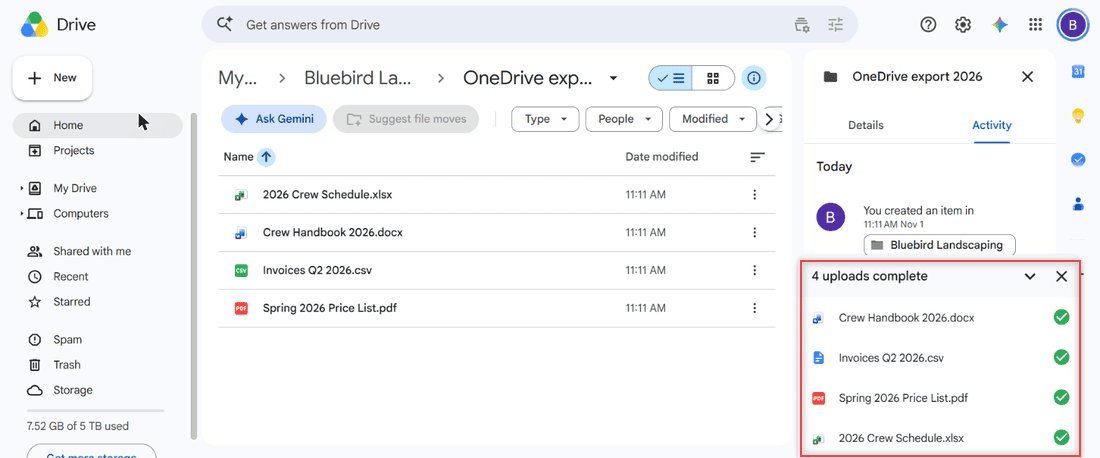
Google Drive folder OneDrive export 2026 with four Bluebird Landscaping files and the 4 uploads complete panel boxed

Move files from OneDrive to Google Drive by download and upload, with the desktop apps, or with the Workspace migration service. Real steps and limits.
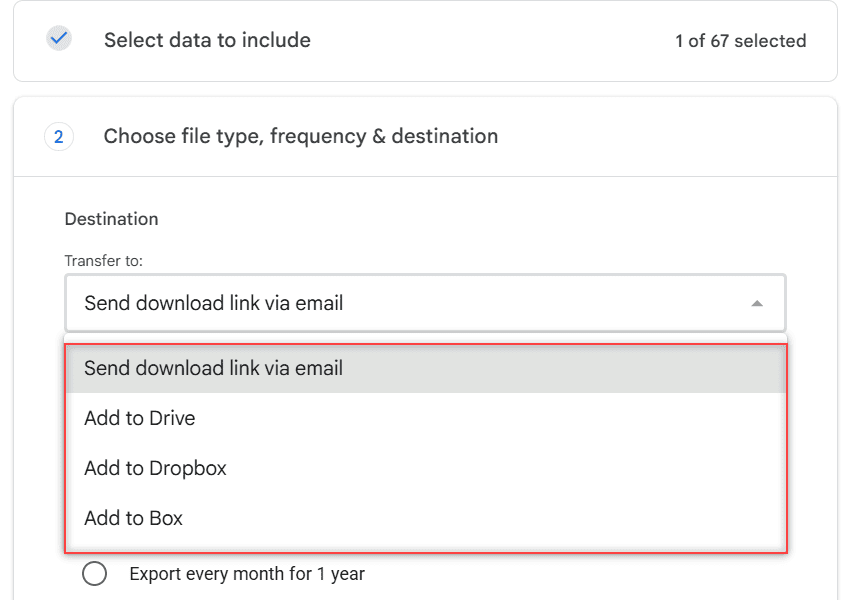
How to Transfer Files from Google Drive to iCloud (4 Ways in 2026)

October 30, 2026February 13, 2024 by Carissa Gudino
Google Takeout Transfer to list showing Send download link via email, Add to Drive, Add to Dropbox and Add to Box with no iCloud option

There is no direct Google Drive to iCloud button. Download and upload, export with Google Takeout, copy on a computer, or use the iPhone Files app.
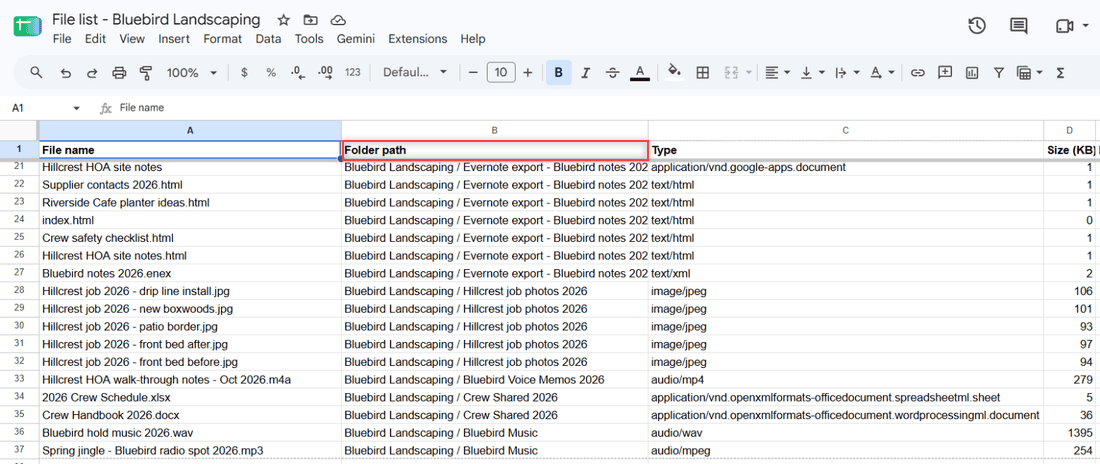
How to List Files in a Folder and Subfolder on Google Drive (3 Ways)

October 30, 2026February 8, 2024 by Carissa Gudino
Google Sheet listing files with the Folder path column showing each subfolder under Bluebird Landscaping

See every file in a Google Drive folder and its subfolders with Advanced search, or export the full list to a Google Sheet with a free Apps Script.
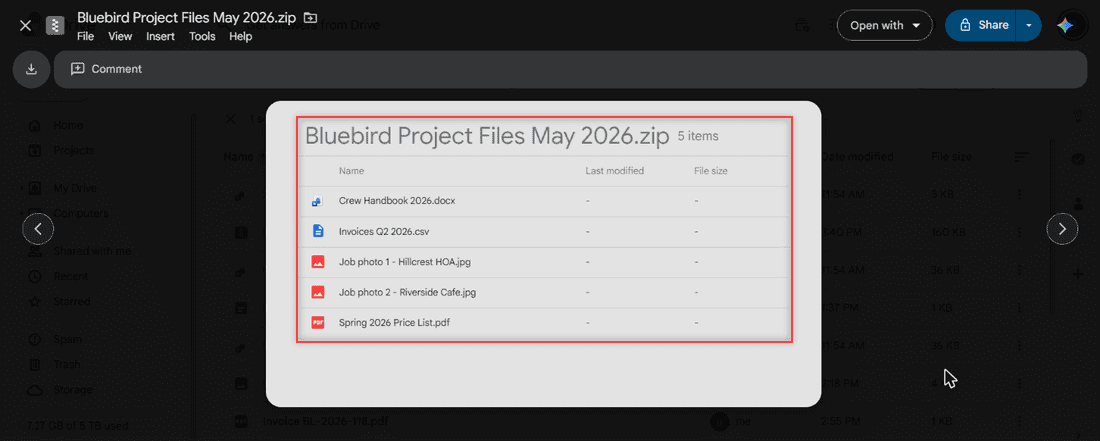
How to View and Unzip ZIP Files in Google Drive (Computer, Android, iPhone)

October 24, 2026February 6, 2024 by Carissa Gudino
Google Drive preview of Bluebird Project Files May 2026.zip listing 5 files with the Download, Open with and Share buttons

See what is inside a ZIP file in Google Drive, then unzip it with an extractor app, on your computer, or on Android and iPhone. Tested steps.
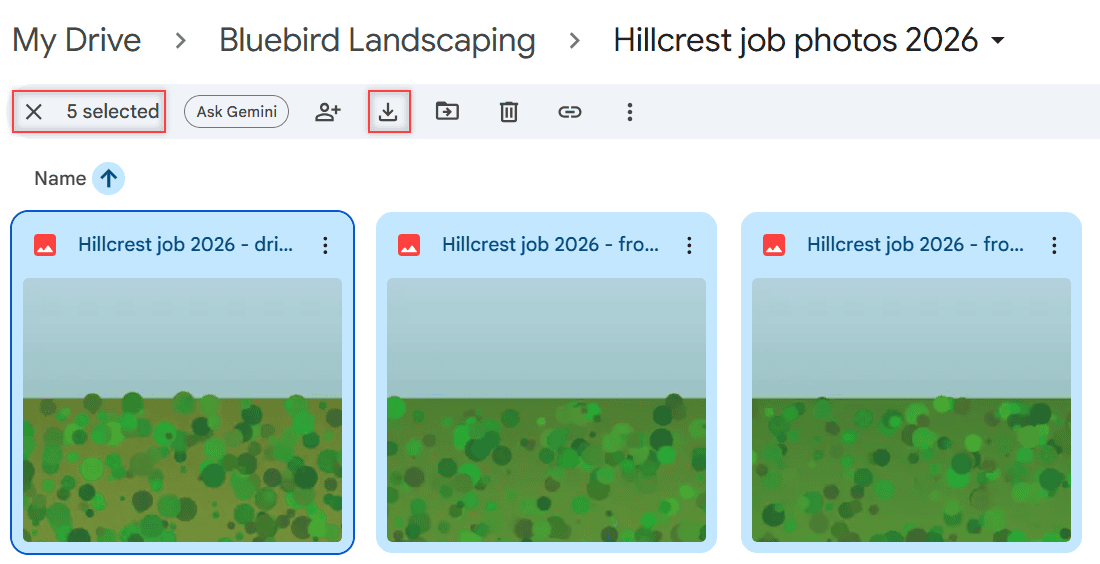
How to Save Multiple Photos from Google Drive to iPhone (3 Ways That Work)

October 27, 2026February 5, 2024 by Carissa Gudino
Google Drive grid view of the Hillcrest job photos 2026 folder with all 5 photos selected, 5 selected and the Download icon boxed in red

Save multiple photos from Google Drive to iPhone: one at a time in the Drive app, in a batch through the Files app, or as a ZIP from a computer.
How to Sign Out of Google Drive on iPhone and iPad

October 28, 2026February 2, 2024 by Carissa Gudino
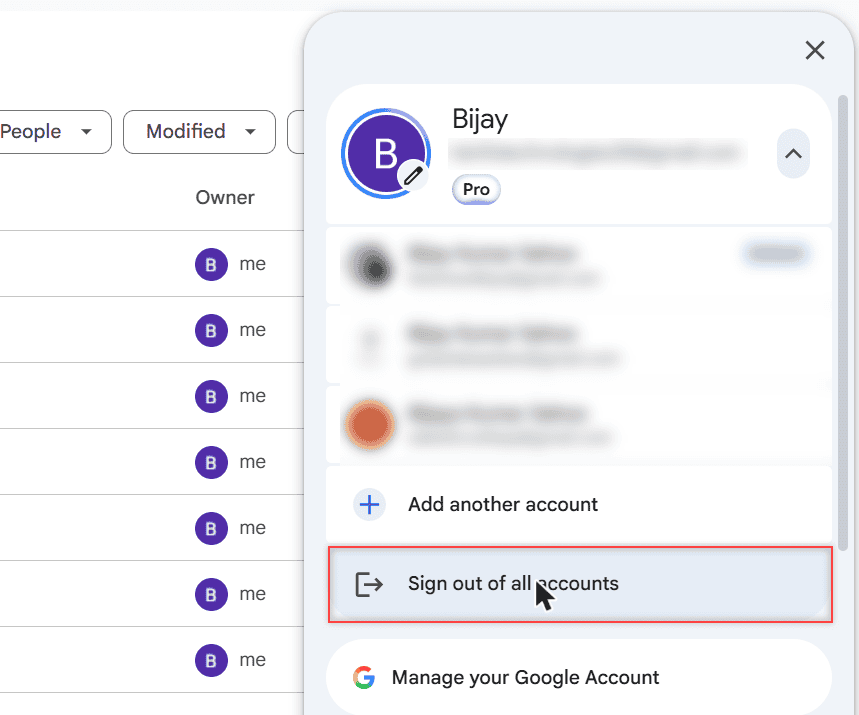
Google Drive account card with the signed-in accounts listed and Sign out of all accounts highlighted

Sign out of the Google Drive app on iPhone or iPad: tap your profile picture, Manage accounts on this device, then Remove from this device.
How Long Does Google Drive Keep Deleted Files? (And How to Get Them Back)

November 1, 2026February 1, 2024 by Carissa Gudino
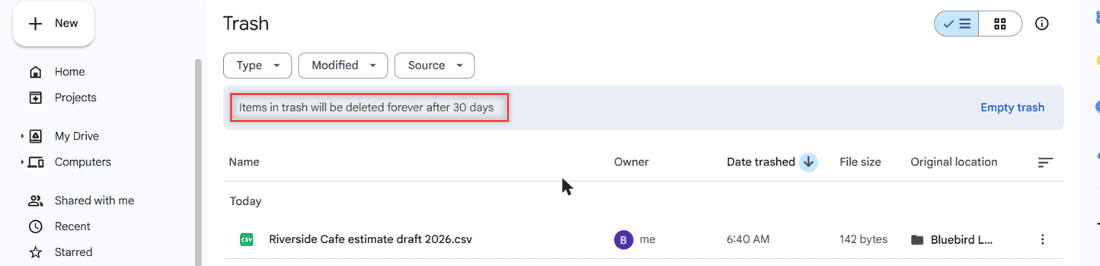
Google Drive Trash page with the banner saying items in trash will be deleted forever after 30 days, highlighted

Google Drive keeps deleted files in Trash for 30 days, then deletes them forever. Here is how to restore them and what to try after the trash is emptied.

Older posts
Newer posts
← Previous Page1 … Page4 Page5 Page6 … Page16 Next →

Recent Posts

  • How to Transfer Google Drive Files to Another Account (3 Ways)
  • How to Organize Google Drive: 8 Rules I Actually Follow
  • What Is OneDrive and Do I Need It? A Plain-English Answer
  • How to Share a Folder in OneDrive (Web, PC and Phone)
  • How to Delete Files From OneDrive (Web, PC and Phone)
  • About TechnologyDots.com
  • Contact
  • Privacy Policy
  • Sitemap
© 2026 Technology Dots