
Hold Ctrl (Command on a Mac) and click each file you want. To grab a row of files, click the first one, then hold Shift and click the last. Press Ctrl+A to pick everything in the folder.
In this tutorial, I’ll show you every way to select multiple files on Google Drive, what you can do with them once they’re picked, and what to try when the selection won’t stick.
On a computer: Ctrl, Shift, and select all
I tested all of this in a folder called Bluebird Landscaping with eight files. List view makes it easier to see what’s picked, and you can sort your files in Google Drive first so the ones you want sit together.
Pick a range with Shift
- Click the first file. I clicked 2026 Crew Schedule.xlsx.
- Hold Shift and click the last file in the range.
- Every file in between gets selected too.
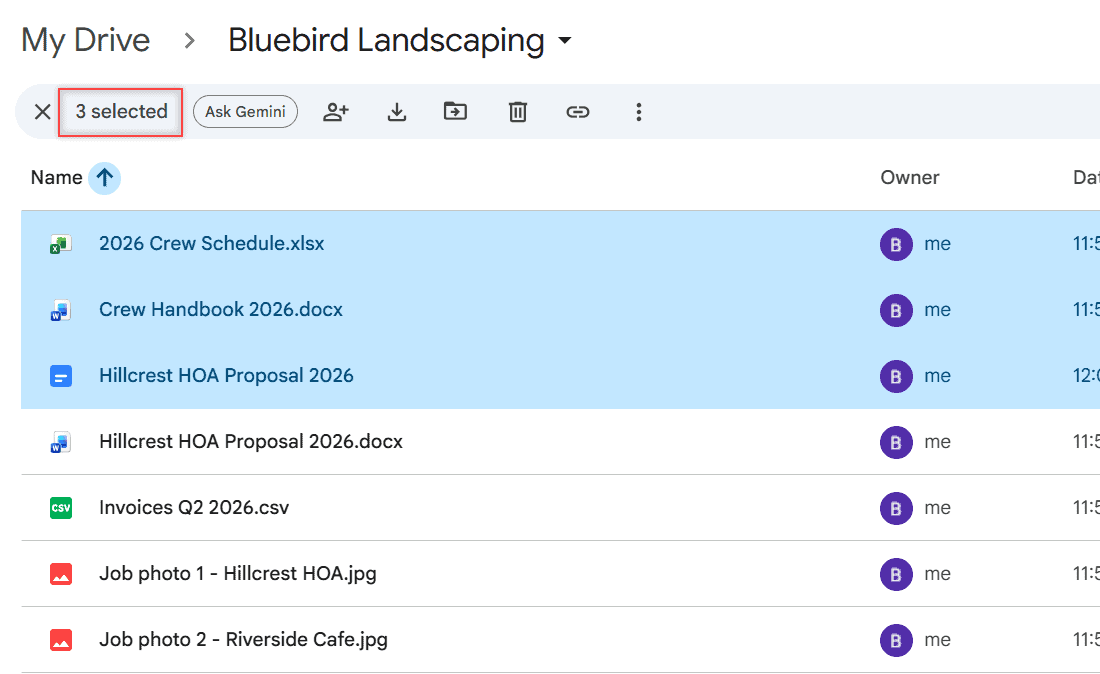
I Shift+clicked Hillcrest HOA Proposal 2026, and Drive picked three files in a row. The bar at the top switched to “3 selected.”
Pick scattered files with Ctrl or Command
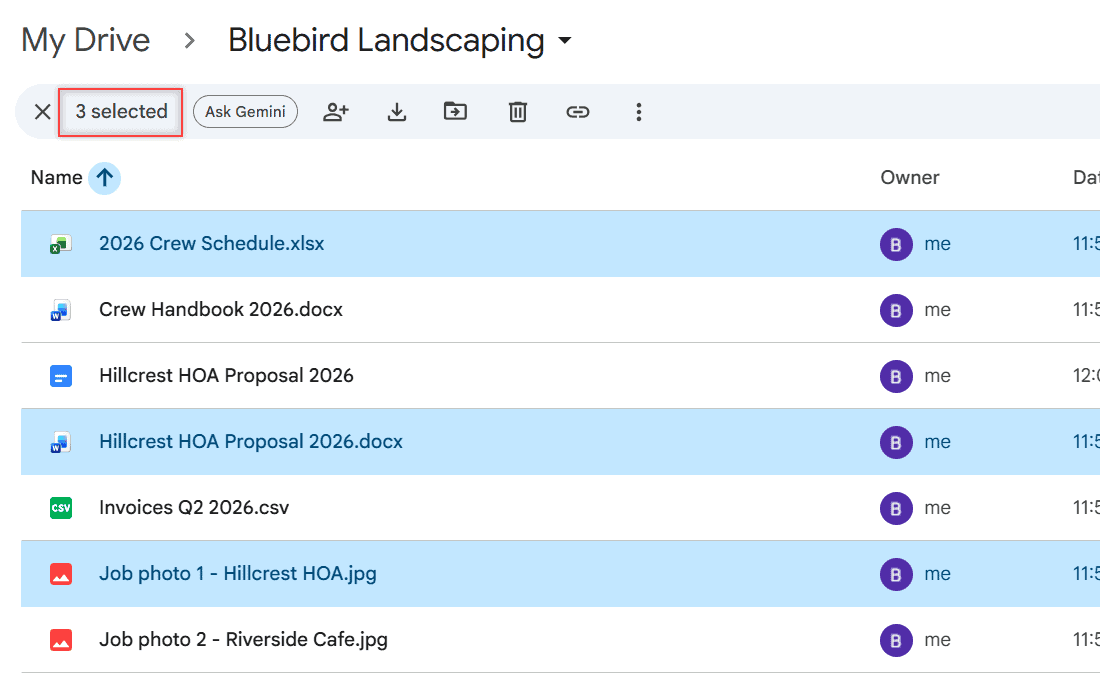
Hold Ctrl on Windows or Chromebook, or Command on a Mac, and click each file. The files don’t have to be next to each other.
I picked a spreadsheet, a proposal, and a job photo from different spots in the list. Drive showed “3 selected” again. Ctrl+click a selected file to drop it from the group.
Select everything with Ctrl+A
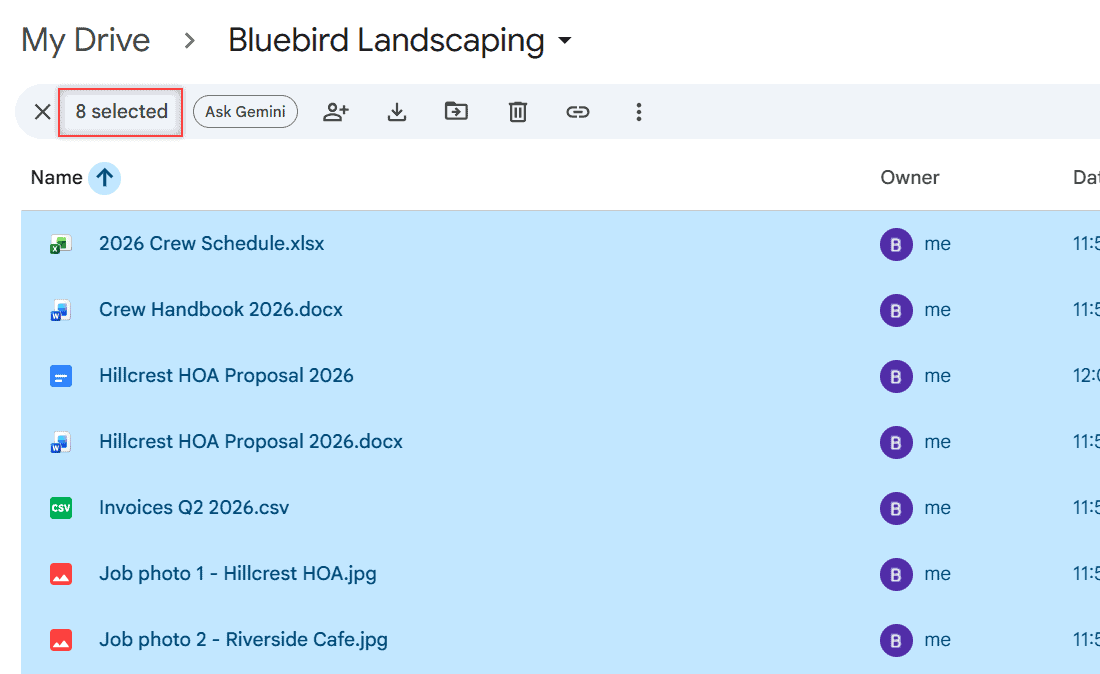
Click any file, then press Ctrl+A (Command+A on a Mac). Google calls this select all visible items. In my folder the bar read “8 selected.”
Press Esc to clear the whole selection.
Keyboard-only shortcuts for picking files
- Shift + arrow keys extends the selection up, down, left, or right.
- Shift + Space selects or deselects the file you’re on.
- Ctrl + arrow keys (Command on a Mac) moves around without changing the selection.
That last one is handy. Move to a file far down the list, then press Shift+Space to add it.
What you can do with the files you picked
Once files are selected, the top bar shows Share, Download, Move, Trash, Copy link, and More. Right-clicking any selected file opens the same actions for the whole group.
- Move: click Move and pick a folder. You need permission to move a file, or Drive creates a shortcut instead. If you lose track, here’s how to find folders in Google Drive.
- Download: click Download to get all of them at once.
- Share: click Share to give the same people access to every file.
- Trash: click Trash. Files stay there for 30 days unless you empty the Trash in Google Drive.
Copy and paste works differently than on your desktop. Drive’s shortcut list has cut (Ctrl+X) and paste (Ctrl+Shift+V) to move files, but no copy shortcut for files.
To duplicate a file, right-click it and pick Make a copy. Google notes you can’t copy folders, only files.
On Android or iPhone
Google’s help pages for the Drive app don’t describe a multi-select gesture. They only show long-pressing a file to drag it somewhere else.
What the help does cover is one file at a time: tap More next to a file, then Download, Move, or Remove. For big batches, I switch to a computer and use Ctrl or Shift.
When selecting files doesn’t work
- Shift selected too much. Shift picks everything between your two clicks. Use Ctrl instead for scattered files.
- Ctrl+A did nothing. Click a file first so the file list has focus, not the search box.
- Download or Move is missing. On files someone else owns, they may have turned off downloading. You can remove shared files from your Drive instead.
- Clicks open files. A double-click opens a file. Single-click while holding the key.
More Drive tricks I use with bulk files
- Download from Google Drive without zipping
- Rename multiple files on Google Drive
- Clear recent activity on Google Drive
- All Google Drive tutorials
Quick answers
How do I select all files in Google Drive?
Open the folder, click any file, and press Ctrl+A on Windows or Command+A on a Mac. Press Esc to clear it.
Can I select multiple files on the Google Drive app?
Google’s Drive app help doesn’t document a multi-select option. It covers actions one file at a time from the More menu, so a computer is the reliable way to work with many files.
How do I download multiple files from Google Drive?
Hold Ctrl (Command on a Mac), click each file, then right-click and choose Download. Google walks through it in Google Drive Help: Download a file.
Can I copy and paste multiple files in Google Drive?
Not like on a desktop. Drive’s shortcuts let you cut and paste to move files, and Make a copy duplicates a file from the right-click menu.

I am Carissa Gudinoa, a technology buff, and Office online and Apple expert with over 9 years of experience. I am passionate about helping others get the most out of their Apple devices. I have written extensively about Apple products and technologies. I am committed to providing my clients with the best possible service and am always up-to-date on the latest Apple products and features. I also write extensively on other software available for use at minimal cost or free. This includes Word Online, Outlook Online, Excel Online, and other Office online programs… Check out more.