How to Back Up OneDrive to an External Hard Drive (Without Losing Files)
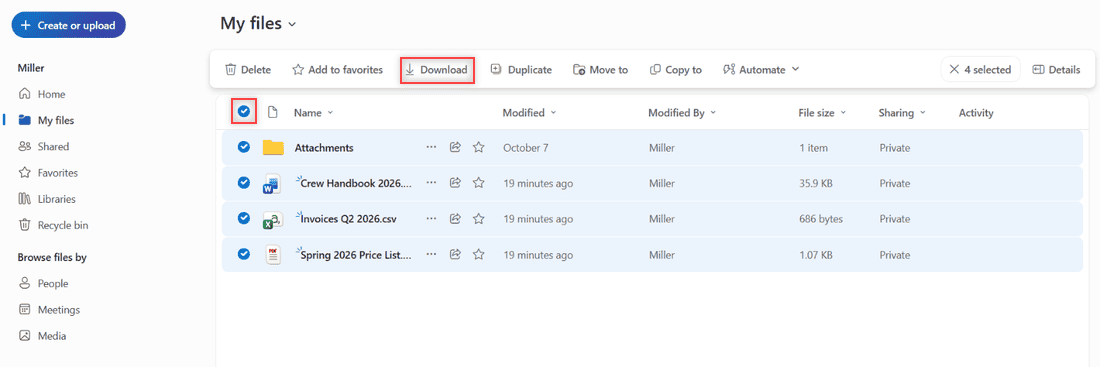
Back up OneDrive to an external hard drive the safe way: download from the web or copy the synced folder, check zip limits, and keep the copy current.

 Carissa Gudino
Back up OneDrive to an external hard drive the safe way: download from the web or copy the synced folder, check zip limits, and keep the copy current.
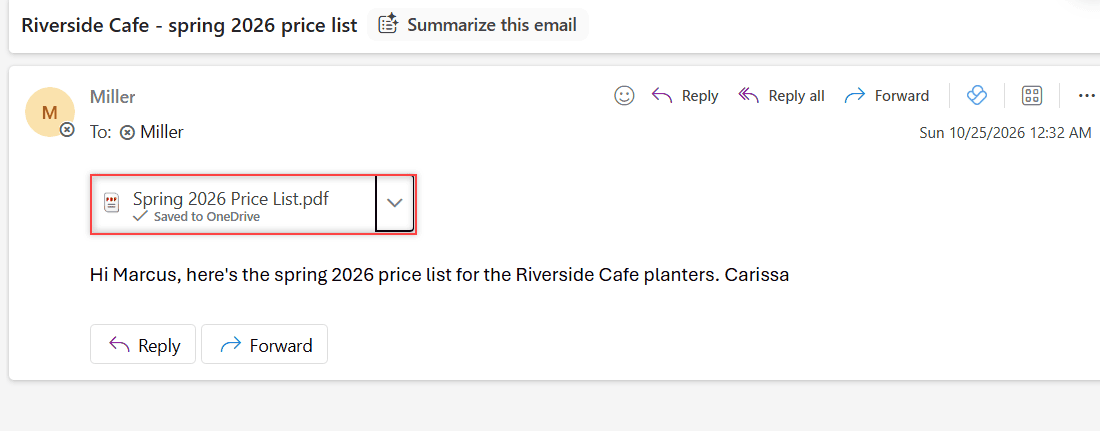
Save Outlook emails to OneDrive: use Save to OneDrive on attachments, or download the whole email as EML or MSG and upload it to OneDrive.
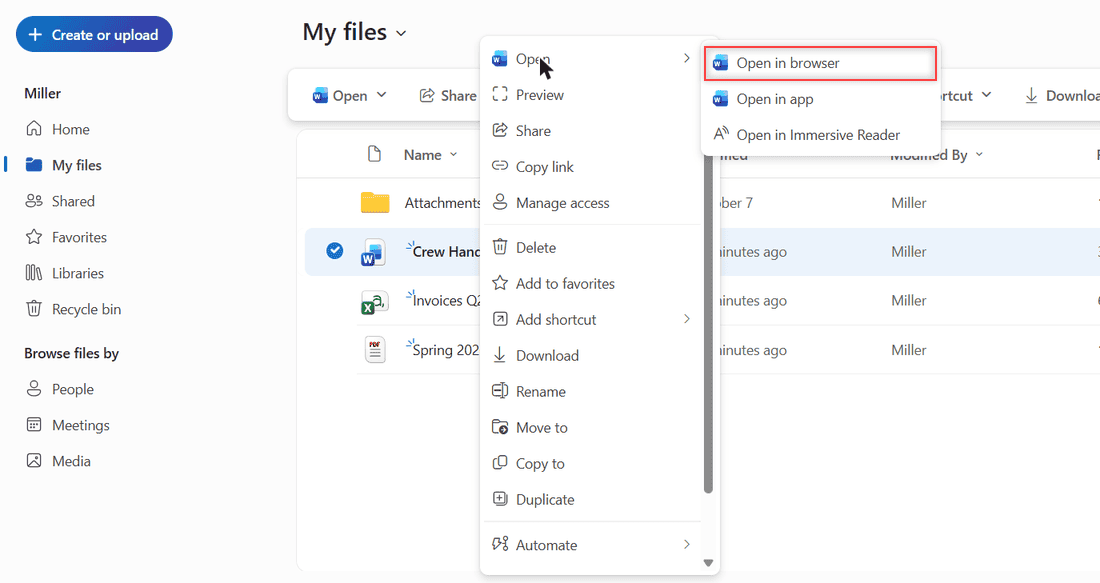
Fix “Make sure OneDrive is running on your PC, then try again”: restart OneDrive, resume sync, start it at sign-in, reset or reinstall it.

Page-up and page-down keys are commonplace on external and Windows keyboards. They allow you to instantly scroll an entire page up or down by pressing a single button. However, as you may have noticed, such controls do not exist on your Mac’s keyboard. Fret not; just because there aren’t dedicated buttons to do that doesn’t … Read more >>

After the macOS Monterey update, many users noticed a mysterious folder known as Relocated Items on their Macs. This folder showed up automatically after the update. When you open the folder for the first time, you will see a Configurations file and a text file named “what are relocated items?” which explains the reason for … Read more >>

iCloud is the cornerstone of Apple’s entire ecosystem. It allows devices to sync with each other and sync photos, videos, and other media files between devices using the same Apple ID. Furthermore, iCloud comes with five gigabytes of storage as default. You can fix the issue if your iCloud Drive take up space on Mac. … Read more >>

Mac has tremendously improved its do not disturb features with the introduction of Focus in the previous years, which allows you to focus on the important things and automates several tasks depending on the location, time, and other things. You can turn On or Off Do Not Disturb on Mac with only a few simple … Read more >>

There have been many complaints about users being unable to upload their files using Chrome or Safari on their Macs. No action is performed when you press the camera, clip, or add button, and there is no alert or any sort of browser crash. You can try two major methods if you cannot upload files … Read more >>

Do you have lines across your Mac’s screen? That might be due to several reasons like a damaged screen, overheating, screen burn-in, or some internal damage to the wiring connecting to the screen. This can also be due to issues like outdated drivers, software, or power management issues. This article details the various reasons for … Read more >>

The screenshot feature is built-in to the mac and does not require any additional permissions or software to run. However, sometimes the screenshot function might not work as expected. There can be several reasons for this. But you can fix the issue with the help of several methods. We have tried and tested a few … Read more >>