
Open onedrive.com, tick the circle next to each file, and click Delete on the bar at the top. The files go to the Recycle bin, so to remove them for good, open Recycle bin and click Empty recycle bin.
In this tutorial, I’ll show you how to delete files from OneDrive on the web, in File Explorer and on your phone, plus what happens with shared files and work accounts.
Delete files in OneDrive on the web
On November 7, 2026, I cleared two throwaway files out of my Bluebird Landscaping OneDrive: Old Price List 2025.pdf and Job photo – blurry duplicate.jpg. Here’s exactly what I clicked.
- Go to onedrive.com and sign in.
- Open My files (or the folder that holds the files).
- Point at each file and click the round check box that appears.
- Click Delete on the toolbar at the top.
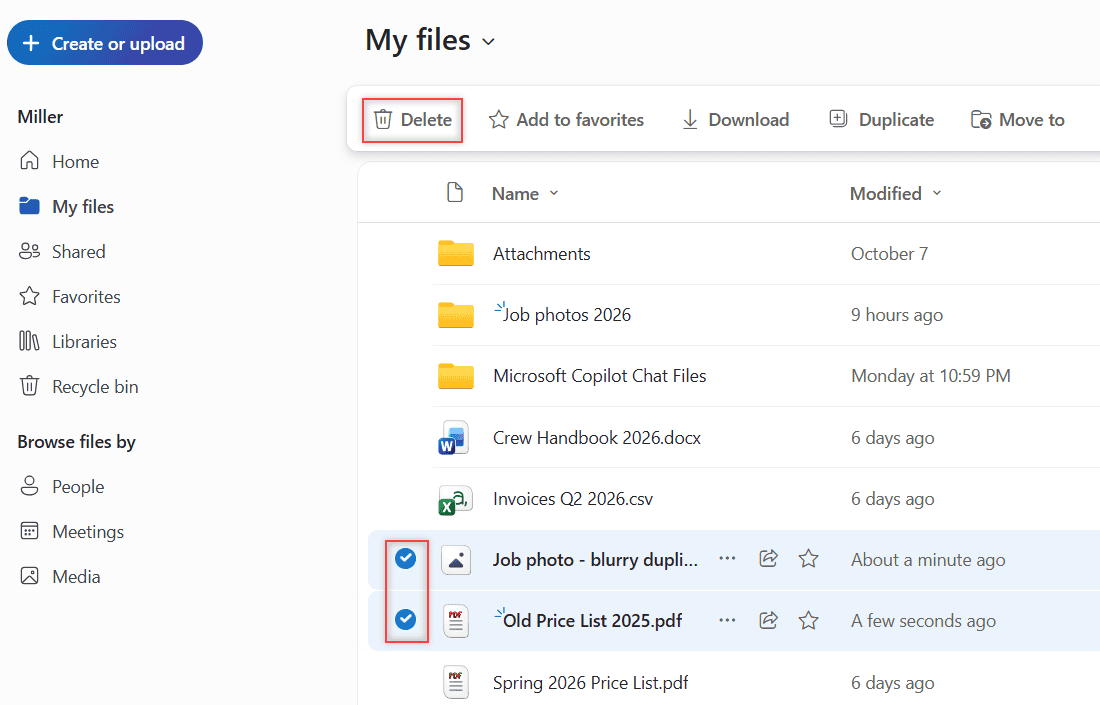
You can also right-click a selected file and pick Delete. If Delete doesn’t show up at all, you probably don’t have permission to delete that item.
OneDrive asks you to confirm before anything moves.
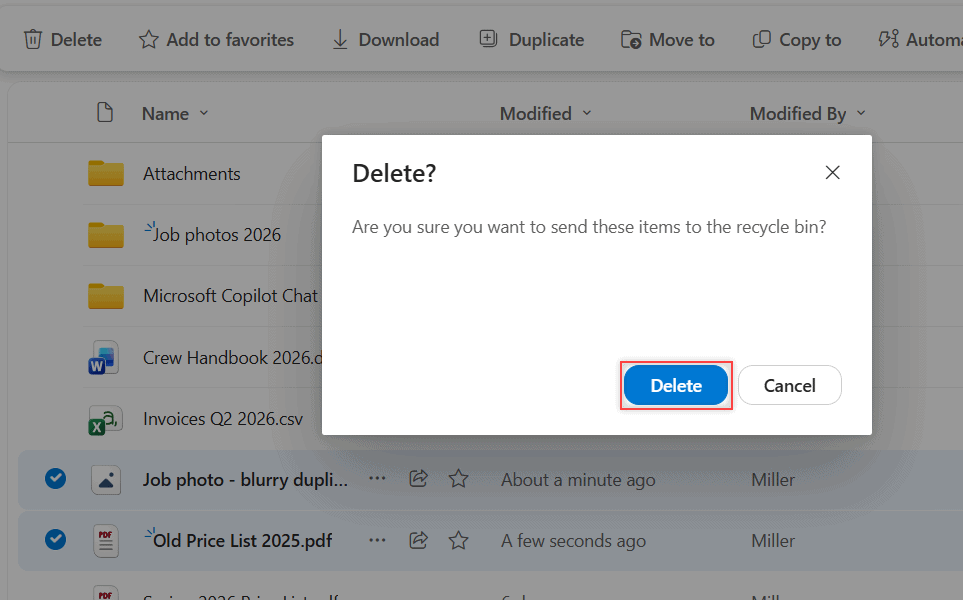
Click Delete. A message pops up saying Deleted 2 items from My files, with an Open Recycle bin link. Before you clean house, it’s smart to back up OneDrive to an external drive.
Empty the recycle bin to delete files for good
Deleted files aren’t gone yet. They sit in the Recycle bin in the left menu, where you can still restore them.
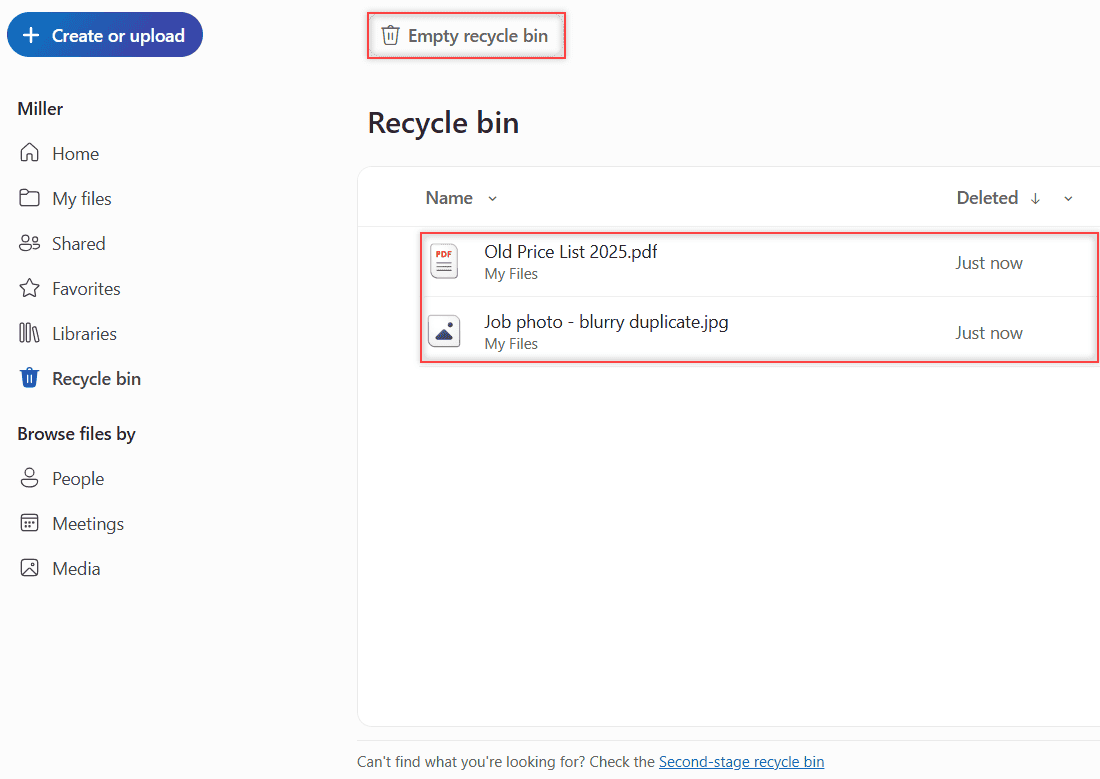
Both of my files showed up with the location My Files and Deleted Just now. If you can’t find the bin, here’s how to open the OneDrive recycle bin.
To clear everything, click Empty recycle bin. To remove only some files, select them and click Delete instead.
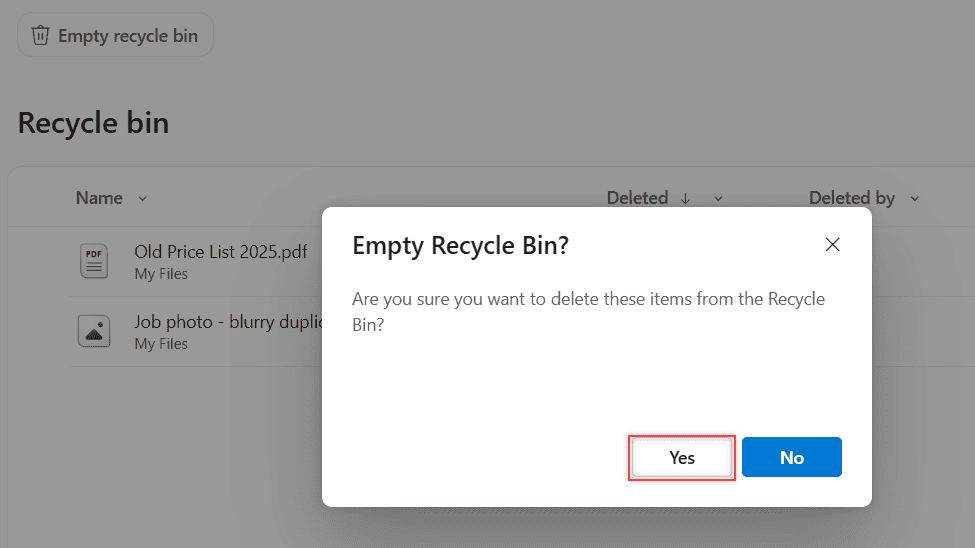
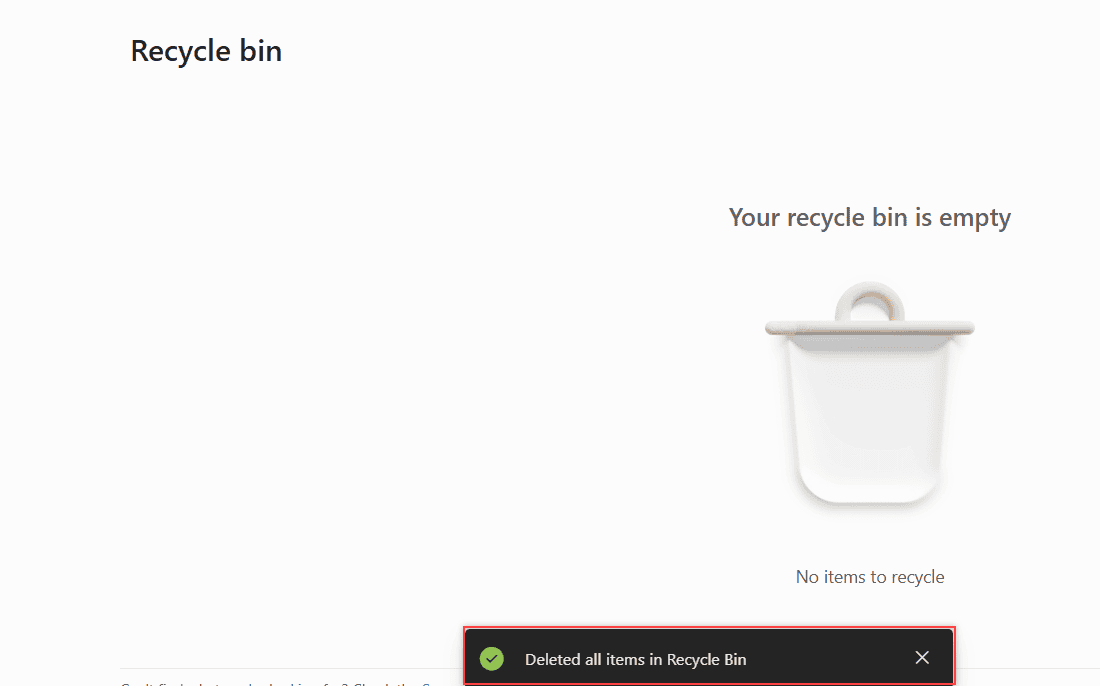
I clicked Yes, and OneDrive showed Your recycle bin is empty plus a note saying it deleted all items.
Work accounts keep a second-stage recycle bin
On a work or school account, emptying the bin isn’t the very end. At the bottom of the Recycle bin page there’s a link to the Second-stage recycle bin.
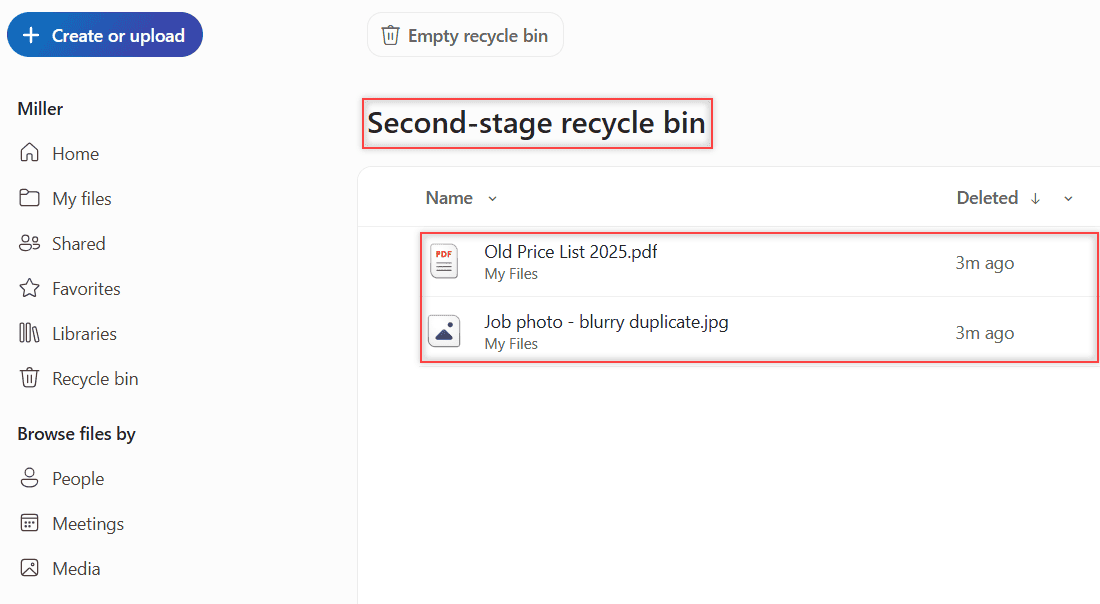
Both of my files were still there after I emptied the first bin. To wipe them completely, select them on this page and delete them again.
I tested this on a work account only, so on a personal account treat an emptied recycle bin as final unless Microsoft support tells you otherwise.
Remove synced files from File Explorer on Windows
If the OneDrive app syncs to your PC, open your OneDrive folder in File Explorer, select the files, and press the Delete key.
That removes the files from your computer and from OneDrive online. They land in the OneDrive recycle bin just like a web delete.
Only want to save disk space? Right-click the file and choose Free up space. The cloud copy stays, and the local placeholder takes up zero drive space. If deletes never reach the web, make sure OneDrive is running on your PC.
Using the OneDrive app on Android or iPhone
In the OneDrive app, tap the three dots next to a file and tap Delete. On Android, tap and hold to pick several files first.
Android lets you delete up to 20 files at a time. For bigger cleanups, the website is faster.
Phone deletes go to the same recycle bin you see on the web, so you can empty it from either place.
On iPhone, you can clear the bin for good from the Recycle Bin view under your account. On Android, open the Recycle Bin and tap Delete All in the upper right.
Variations: shared files and personal vs work accounts
Files you shared with others
Careful here. If you delete a file you’ve shared, you delete it for everyone. To stop sharing but keep the file, select it and use Manage access instead.
Folders someone shared with you
If you added a shortcut to someone else’s shared folder, removing that shortcut only takes it out of your OneDrive. The owner’s folder stays put.
How long deleted files wait
Personal accounts can restore files deleted in the last 30 days. Work or school accounts get 93 days, unless an admin changed the setting. I compare more account details in Google Drive vs OneDrive.
When your storage doesn’t go down
Most of the time, the files are still in the recycle bin. Empty it, and on a work account check the second-stage bin too.
Microsoft says there can be a short delay before freed space shows in your storage total. Moving files instead of deleting them? Copy them first, like when you transfer OneDrive files to Google Drive.
Want to keep tidying up OneDrive? Try these next:
Quick answers
Does deleting files from OneDrive delete them from my computer?
Yes, if your PC syncs OneDrive. Deleting in the OneDrive folder removes the file from your computer and online. Use Free up space if you only want the local copy gone.
Can I recover a file after I empty the OneDrive recycle bin?
On a work or school account, check the Second-stage recycle bin at the bottom of the Recycle bin page.
Why can’t I delete a file in OneDrive?
You probably don’t have permission for that item, so the Delete option doesn’t appear. Ask the owner, or remove your shortcut to the shared folder instead.
How long do deleted files stay in the OneDrive recycle bin?
Personal accounts get 30 days and work or school accounts 93 days by default. Microsoft spells it out in OneDrive Help: restore deleted files.

I am Carissa Gudinoa, a technology buff, and Office online and Apple expert with over 9 years of experience. I am passionate about helping others get the most out of their Apple devices. I have written extensively about Apple products and technologies. I am committed to providing my clients with the best possible service and am always up-to-date on the latest Apple products and features. I also write extensively on other software available for use at minimal cost or free. This includes Word Online, Outlook Online, Excel Online, and other Office online programs… Check out more.