Skip to content
TechnologyDots
TechnologyDots
  • Home
  • Google Drive
  • Outlook
  • Mac
  • Blogs

How to Remove an Account from Outlook (Web, Windows, Mac, iPhone, Android)
Updated on October 24, 2026 by Carissa Gudino
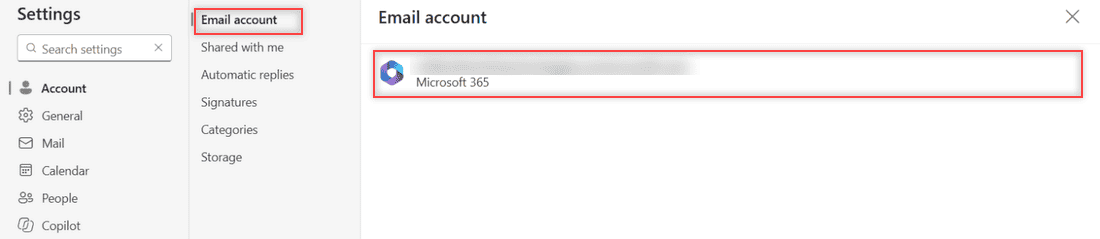
Outlook on the web Settings, Account, Email account page showing one Microsoft 365 account and no Remove button

Outlook on the web has no Remove button for your own account, so you sign out. Here’s how removal works in Outlook for Windows, Mac, iPhone and Android.

How to Create Inbox Rules in Outlook Online (Invoices Example, Step by Step)

Updated on October 24, 2026 by Carissa Gudino
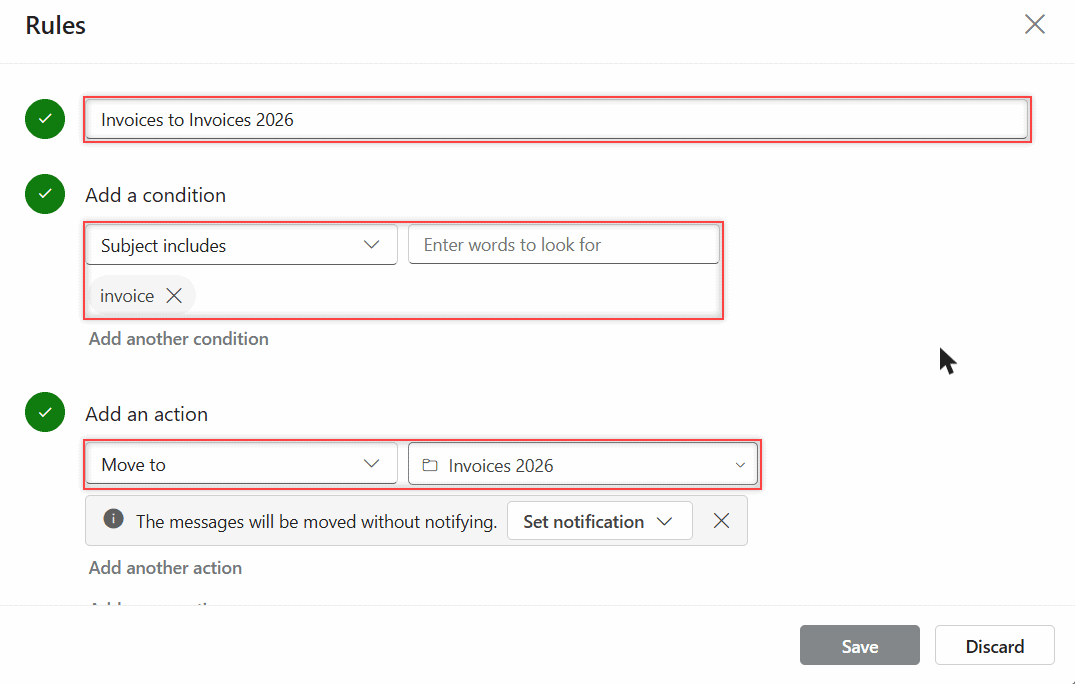
Outlook on the web rule with Subject includes invoice and Move to Invoices 2026 filled in, plus the moved without notifying note

Create inbox rules in Outlook on the web: name the rule, pick a condition and action, run it on mail you already have, then edit, pause, or reorder it.
How to Reduce Image Size in Outlook (Web and Classic Outlook)

Updated on October 24, 2026 by Carissa Gudino
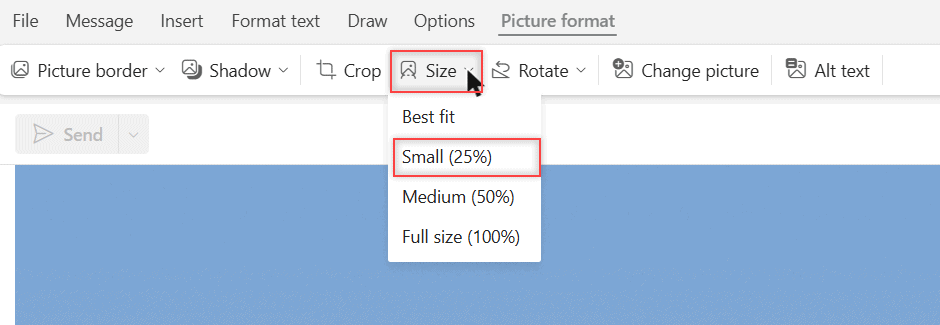
Picture format tab in Outlook on the web with the Size menu open and Small (25%) highlighted

Reduce image size in Outlook: move a photo into the message body, use Picture format > Size, or resize large images in classic Outlook.
How to Set Calendar Reminders in Outlook (Microsoft 365)

Updated on October 24, 2026 by Carissa Gudino
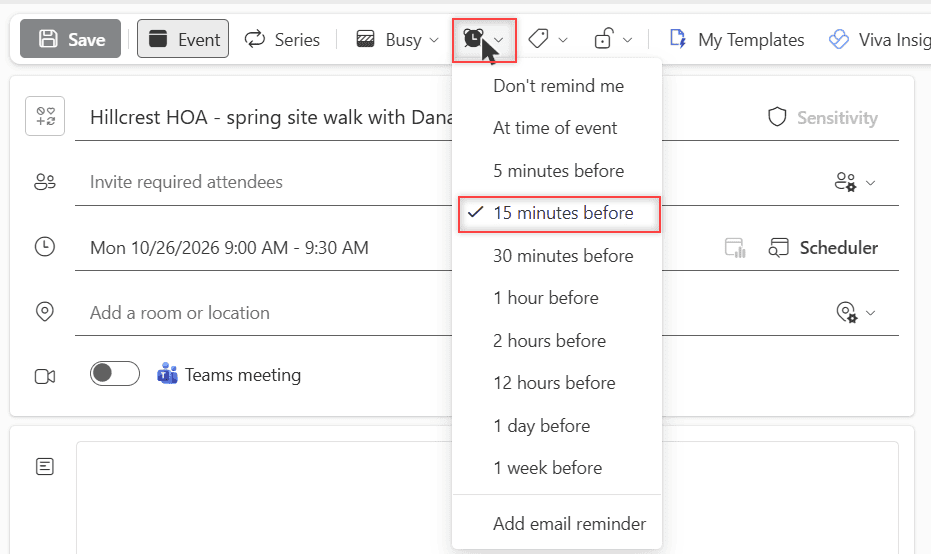
A new Outlook on the web event called Hillcrest HOA - spring site walk with Dana on Monday 10/26/2026 at 9:00 AM, with the reminder dropdown open and 15 minutes before checked

Set a reminder on one Outlook event, add an email reminder, change the default, and control the pop-up. Tested in Outlook on the web for Microsoft 365.
How to Sort Emails by Size in Outlook on the Web (and Find the Big Ones)

Updated on October 24, 2026 by Carissa Gudino
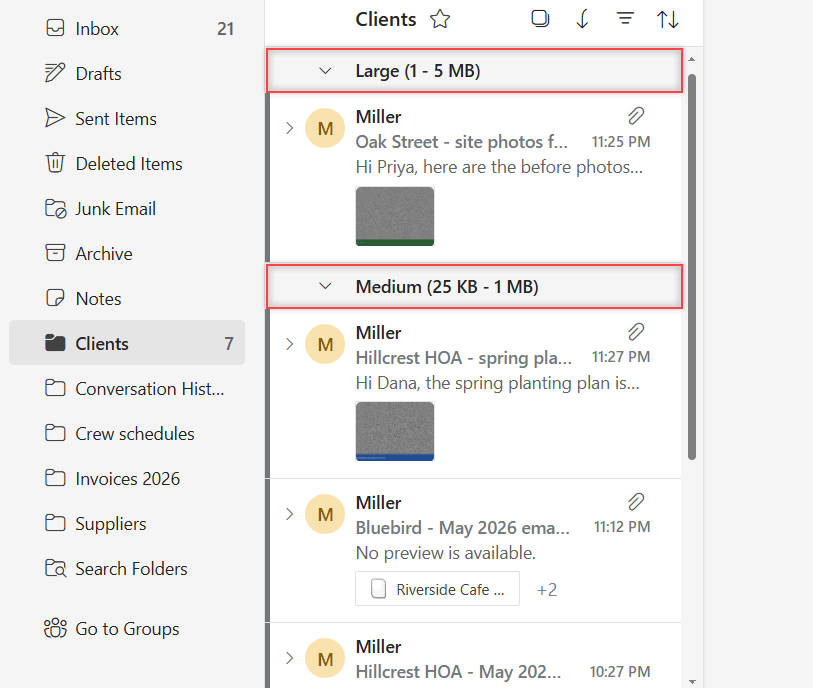
Outlook Clients folder sorted by size with the Large (1 - 5 MB) and Medium (25 KB - 1 MB) groups highlighted

Sort emails by size in Outlook on the web, flip between largest and smallest on top, and filter to emails with files to find what eats your storage.
How to Sort Folders in Outlook Online (A to Z or Your Own Order)

Updated on October 24, 2026 by Carissa Gudino
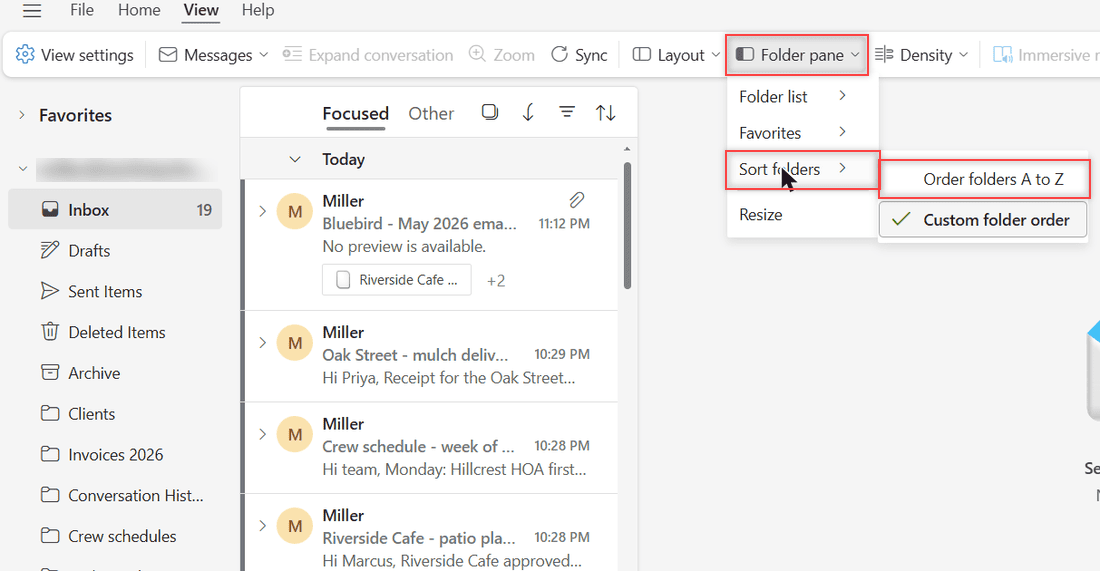
Outlook on the web View tab with Folder pane, Sort folders and Order folders A to Z highlighted, Custom folder order checked

Yes, you can sort folders in Outlook on the web: View > Folder pane > Sort folders > Order folders A to Z, or use Custom folder order with Move up.
How to Download Emails from Outlook Online (4 Easy Ways)

Updated on October 24, 2026 by Carissa Gudino
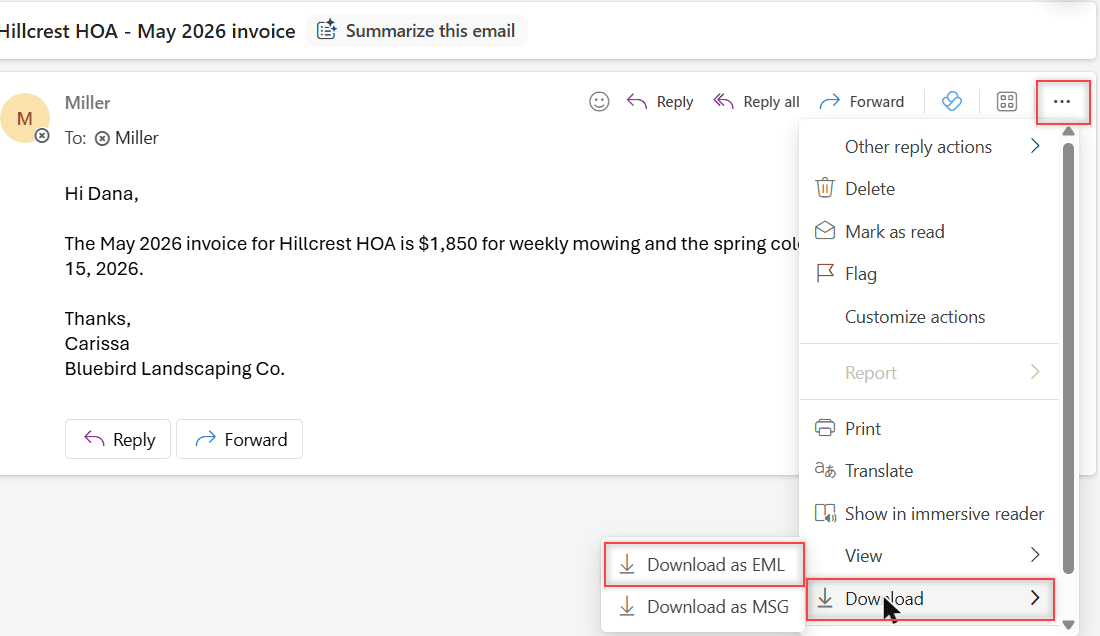
Outlook on the web with the Hillcrest HOA May 2026 invoice email open, the More actions menu showing Download and the Download as EML option

Download one Outlook email as EML or MSG, save it as a PDF, grab several at once, or export your whole mailbox to a PST file. Tested in Outlook on the web.
How to Clear Outlook Search History (Recent Searches)

Updated on October 24, 2026 by Carissa Gudino
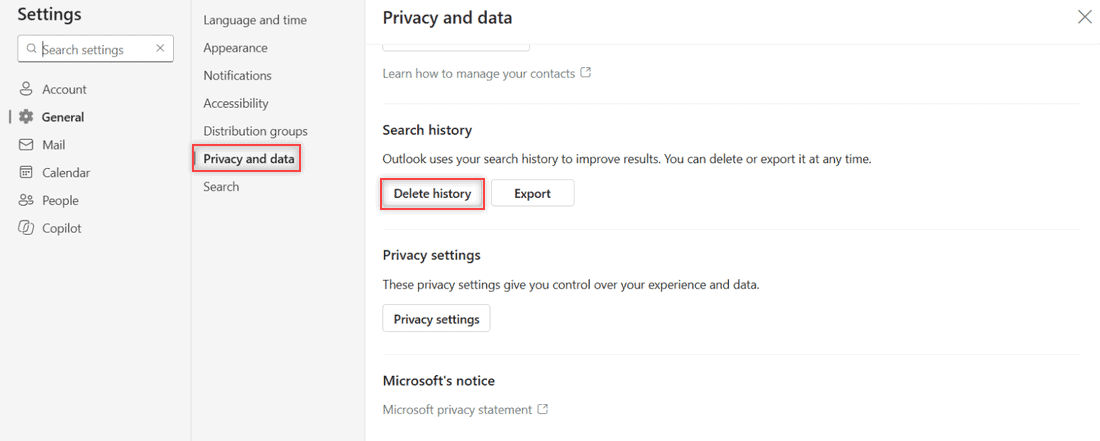
Outlook on the web Settings with General and Privacy and data selected and the Delete history button under Search history

Clear Outlook search history in a few clicks: Settings > General > Privacy and data > Delete history. Why recent searches linger, and what stays.
How to Check Storage Space in Outlook Online (and Free It Up)

Updated on October 24, 2026 by Carissa Gudino
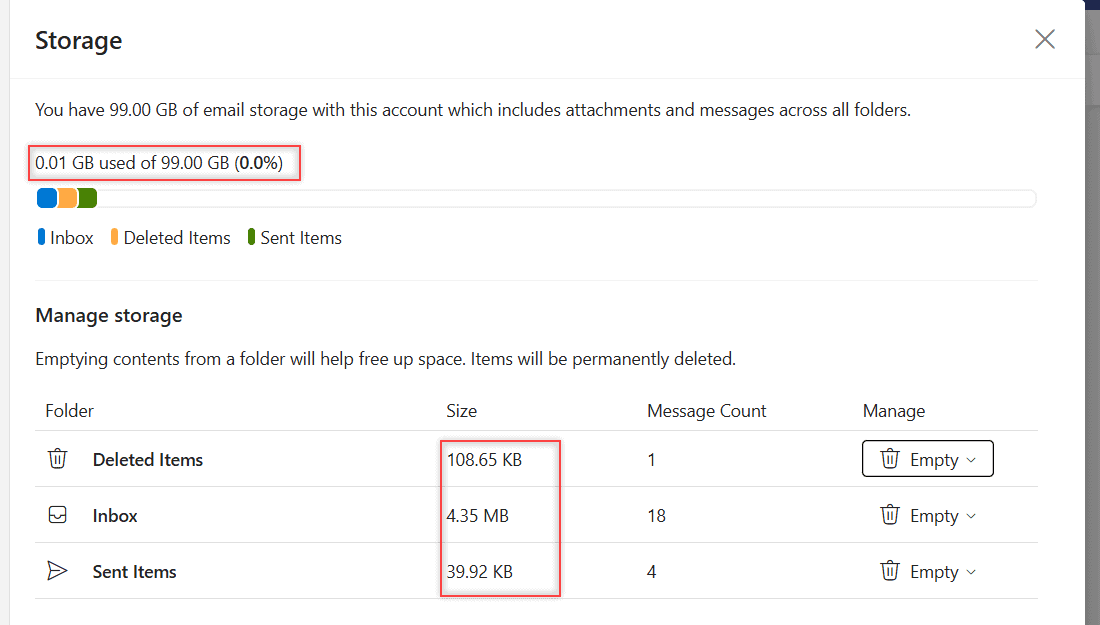
Outlook Storage page showing 0.01 GB used of 99.00 GB, the usage bar, and the Manage storage table with folder sizes and Empty buttons

Open Settings > Account > Storage to see how much Outlook storage you use, which folders take the most space, and how to empty them safely.
Failed Server Error in Google Drive: How I Fix Uploads and Downloads

Updated on October 24, 2026 by Carissa Gudino
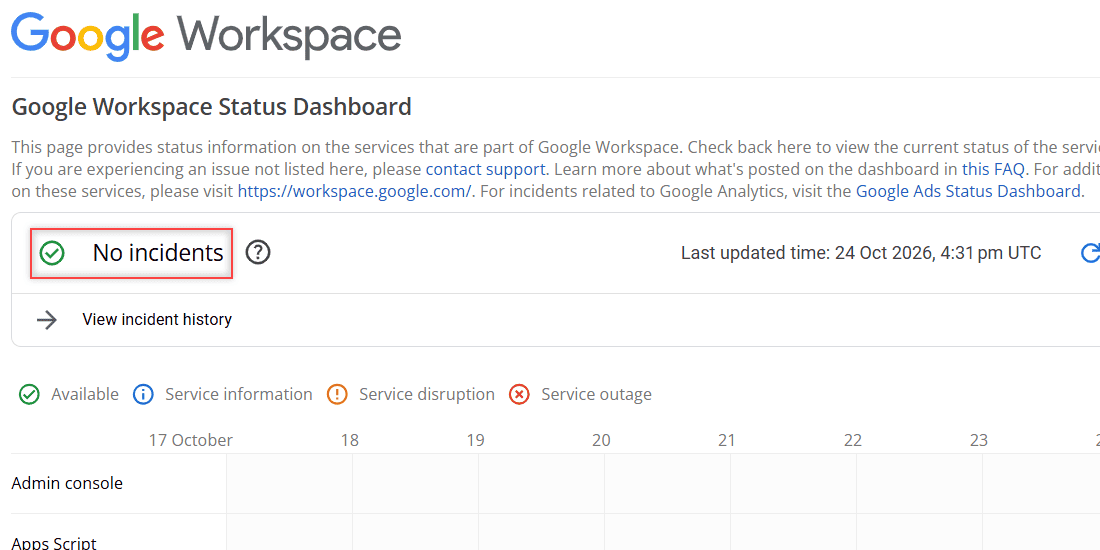
Google Workspace Status Dashboard showing No incidents, last updated 24 Oct 2026, with service rows from 17 to 24 October

Google Drive upload or download failed with a server error or “Failed – Forbidden”? Check the status, storage, cookies and access with these fixes.

Older posts
Newer posts
← Previous Page1 … Page9 Page10 Page11 … Page16 Next →

Recent Posts

  • How to Share a Folder in OneDrive (Web, PC and Phone)
  • How to Delete Files From OneDrive (Web, PC and Phone)
  • How to Manage Google Drive Storage (Find, Clean Up and Keep It Under Control)
  • How to Edit a PDF in Google Drive (and What Drive Can’t Do)
  • How to Add Photos to Google Drive From a Computer (Windows or Mac)
  • About TechnologyDots.com
  • Contact
  • Privacy Policy
  • Sitemap
© 2026 Technology Dots