Skip to content
TechnologyDots
TechnologyDots
  • Home
  • Google Drive
  • Outlook
  • Mac
  • Blogs

How to Share a Google Drive Link on WhatsApp (Files, Folders, and Docs)
Updated on November 9, 2026 by Carissa Gudino
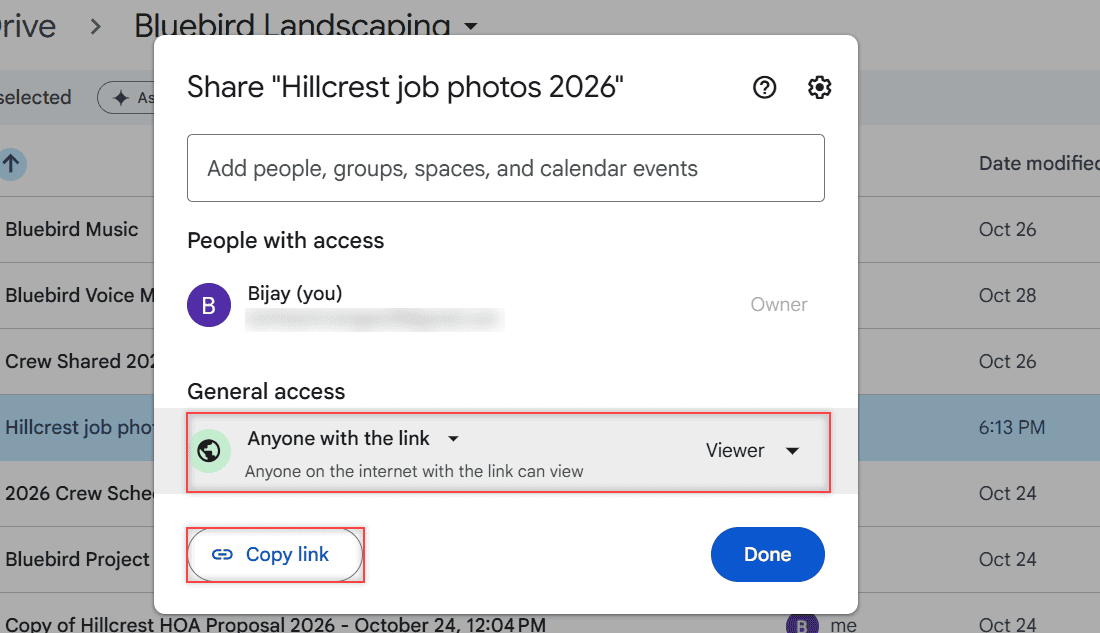
Share dialog with General access set to Anyone with the link, role Viewer, and the Copy link button

Share a Google Drive link on WhatsApp: set Anyone with the link, pick Viewer or Editor, copy the link, paste it in the chat, then turn it off later.

How to Back Up OneDrive to an External Hard Drive (Without Losing Files)

Updated on November 9, 2026 by Carissa Gudino
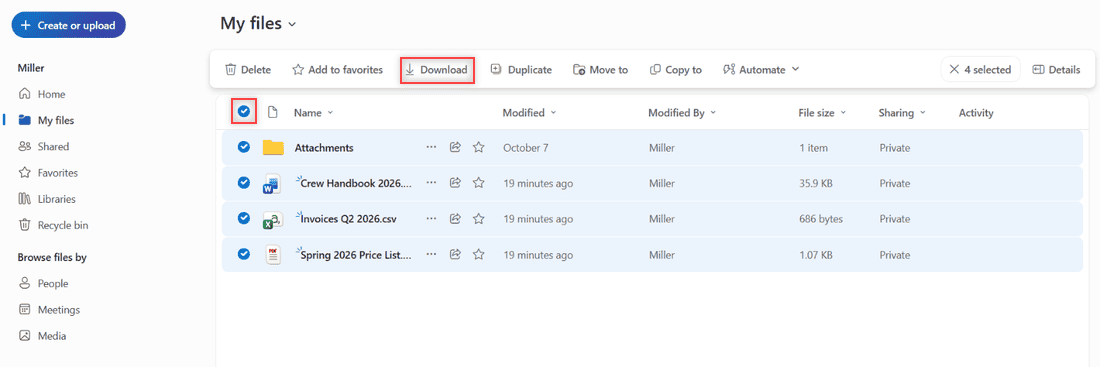
OneDrive My files with Select all rows checked, four items selected and the Download button boxed in the toolbar

Back up OneDrive to an external hard drive the safe way: download from the web or copy the synced folder, check zip limits, and keep the copy current.
How to Access the OneDrive Recycle Bin (Web, PC, and Phone)

Updated on November 9, 2026 by Carissa Gudino
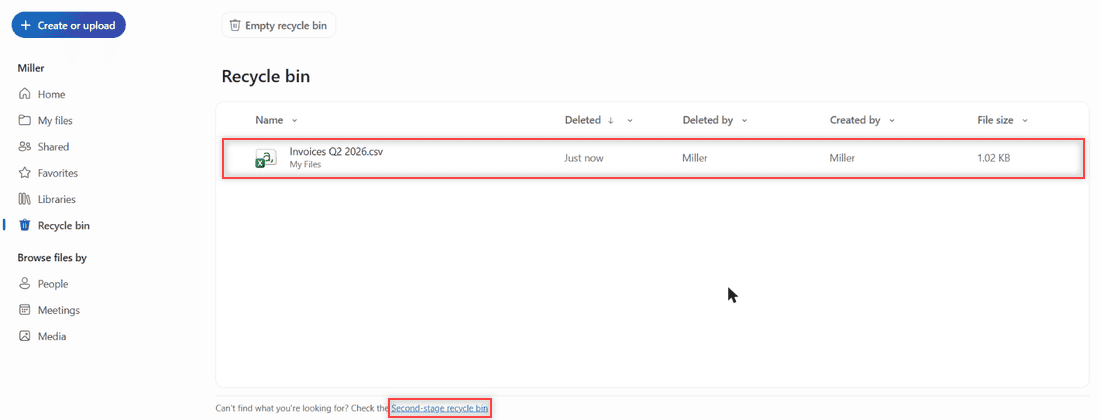
OneDrive recycle bin listing a deleted file with the Second-stage recycle bin link at the bottom

Find the OneDrive recycle bin on the web, phone, or PC, restore deleted files, and learn how long OneDrive keeps them (30 or 93 days).
How to Forward Multiple Emails at Once in Outlook Online

Updated on November 9, 2026 by Carissa Gudino
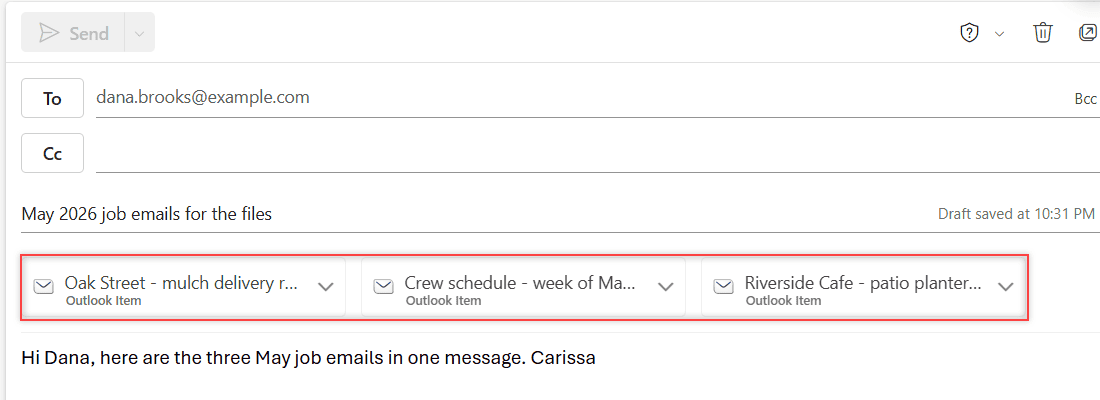
Close-up of the forward draft with three Outlook Item attachment cards and a note to Dana in the body

Select several emails with Ctrl+click, then click Forward: Outlook puts them all in one new message as attachments. Tested in Outlook on the web.
How to Make an Email Confidential in Outlook (and What It Really Blocks)

Updated on November 9, 2026 by Carissa Gudino
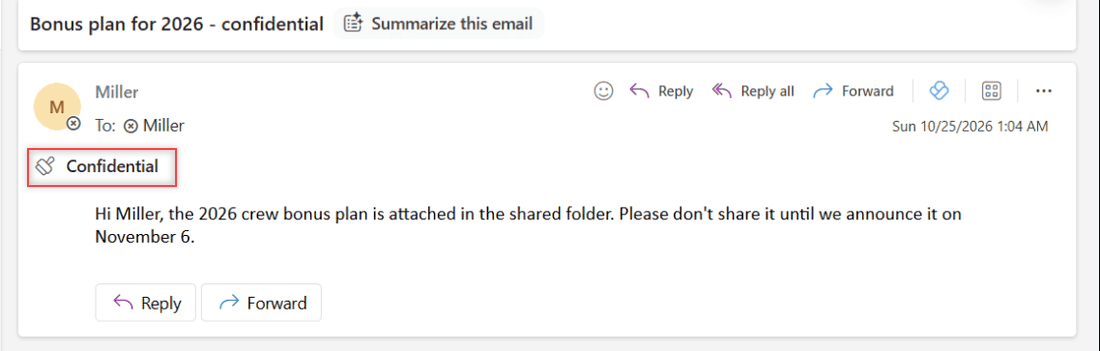
Received email in Outlook on the web showing the Confidential notice under the To line with Reply, Reply all, and Forward available

Marking an Outlook email Confidential is only a notice. Here’s how to set it, and when to use Encrypt or Do Not Forward to actually stop forwarding.
How to Set Automatic Replies in Outlook Online (Out of Office)

Updated on November 9, 2026 by Carissa Gudino
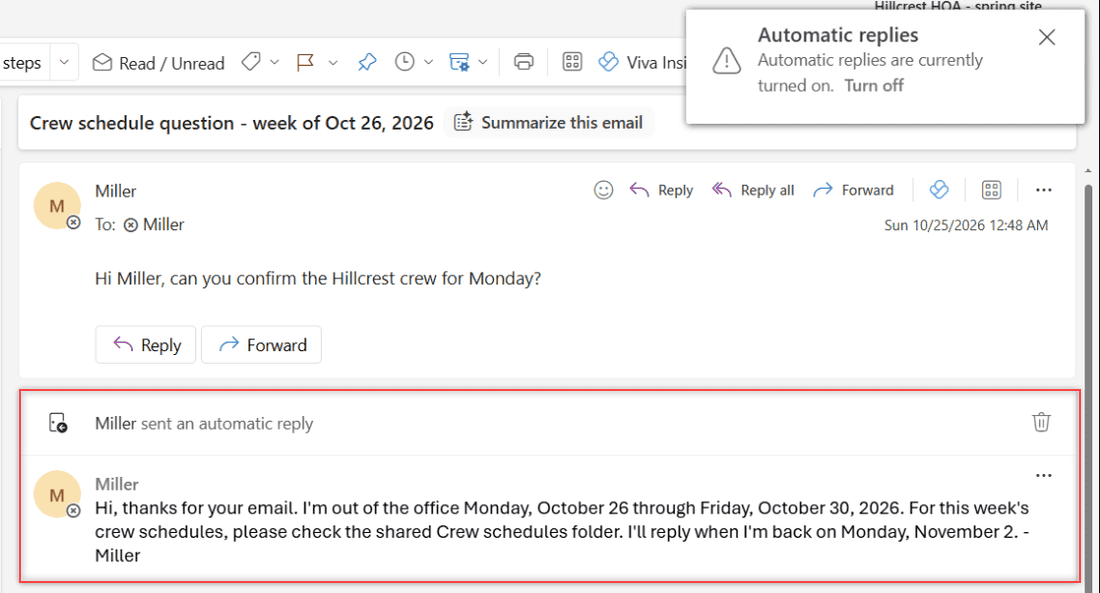
An Outlook on the web conversation showing the test email and the automatic reply with the out of office message for coworkers

Turn on automatic replies in Outlook on the web, schedule your dates, write inside and outside messages, test the reply, and turn it off when you are back.
How to Upload a Video from Google Drive to YouTube (Computer and Phone)

Updated on November 9, 2026 by Carissa Gudino
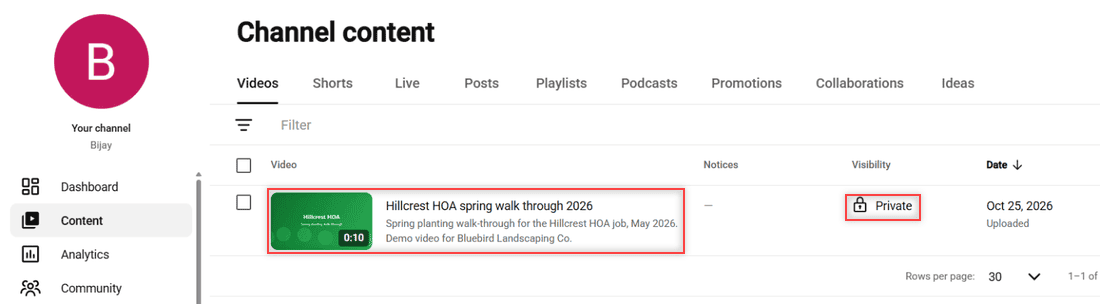
YouTube Studio Channel content Videos list showing the uploaded Hillcrest HOA video with Private visibility highlighted

There is no direct Drive-to-YouTube button. Download the video from Google Drive, upload it in YouTube Studio or the app, and pick its visibility.
How to Upload Large Files to Google Drive (Including Big Videos)

Updated on November 9, 2026 by Carissa Gudino
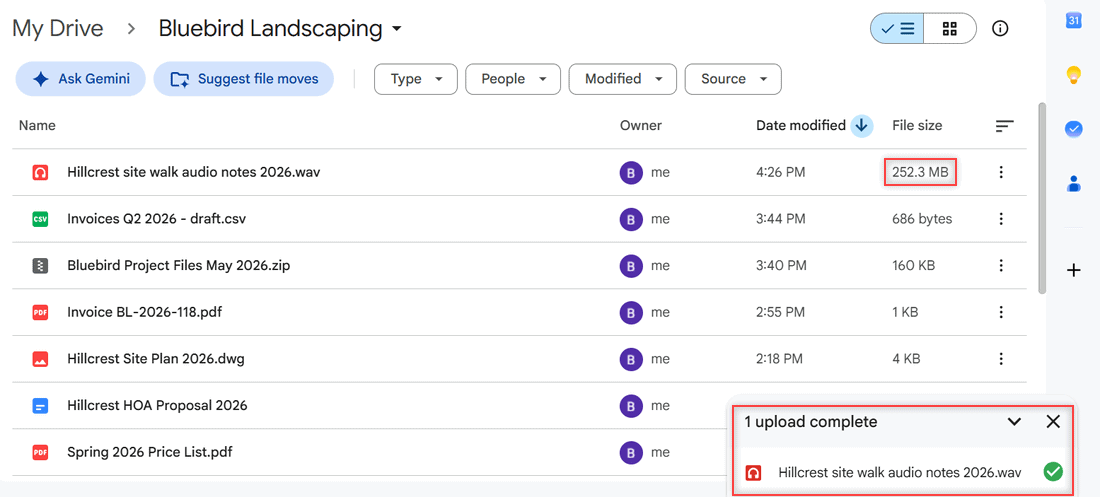
Bluebird Landscaping folder sorted by Date modified with the new WAV file at the top at 252.3 MB and the panel showing 1 upload complete

Upload large files and big videos to Google Drive from a browser, Drive for desktop, or your phone, plus the 5 TB file limit and 750 GB daily cap.
SharePoint vs OneDrive: Which One Should Hold Your Work Files?

Published on November 9, 2026 by Carissa Gudino
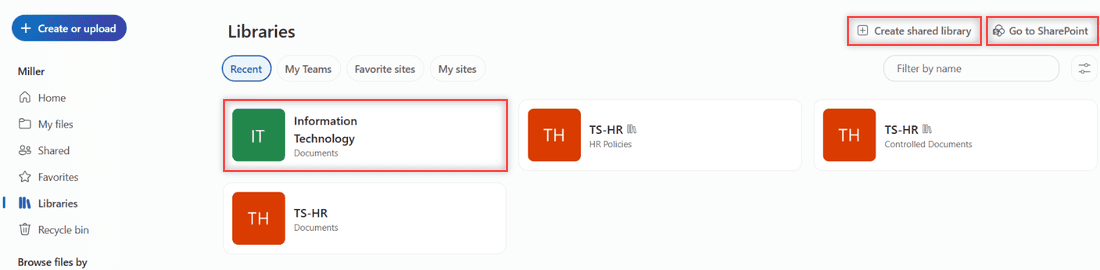
OneDrive Libraries page listing SharePoint document libraries with Create shared library and Go to SharePoint buttons

SharePoint vs OneDrive explained: private work files vs team libraries, sharing, Teams files, storage limits, sync, and what happens when someone leaves.
How to Back Up Photos to OneDrive (Web, Phone and PC)

Published on November 8, 2026 by Carissa Gudino
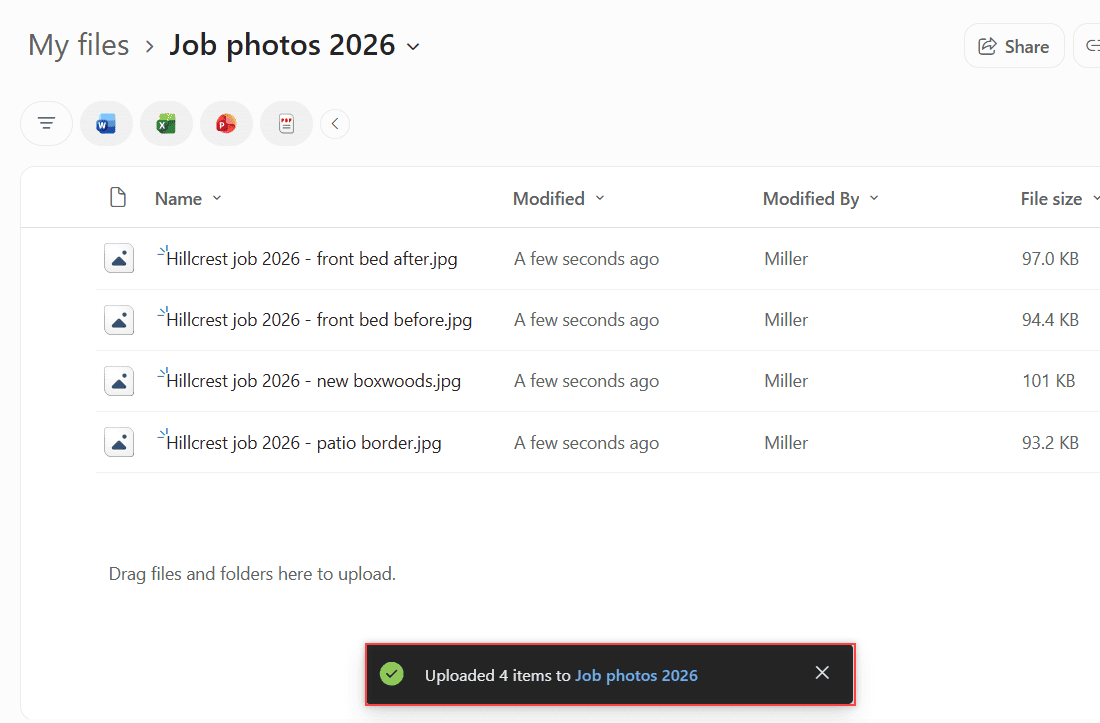
Four Hillcrest job 2026 photos uploaded to the Job photos 2026 folder in OneDrive with the Uploaded 4 items toast highlighted

Back up photos to OneDrive: upload them on the web, turn on camera upload on Android or iPhone, and back up your PC Pictures folder. Storage tips too.

Older posts
Newer posts
← Previous Page1 Page2 Page3 Page4 … Page16 Next →

Recent Posts

  • What Is OneDrive and Do I Need It? A Plain-English Answer
  • How to Share a Folder in OneDrive (Web, PC and Phone)
  • How to Delete Files From OneDrive (Web, PC and Phone)
  • How to Manage Google Drive Storage (Find, Clean Up and Keep It Under Control)
  • How to Edit a PDF in Google Drive (and What Drive Can’t Do)
  • About TechnologyDots.com
  • Contact
  • Privacy Policy
  • Sitemap
© 2026 Technology Dots